
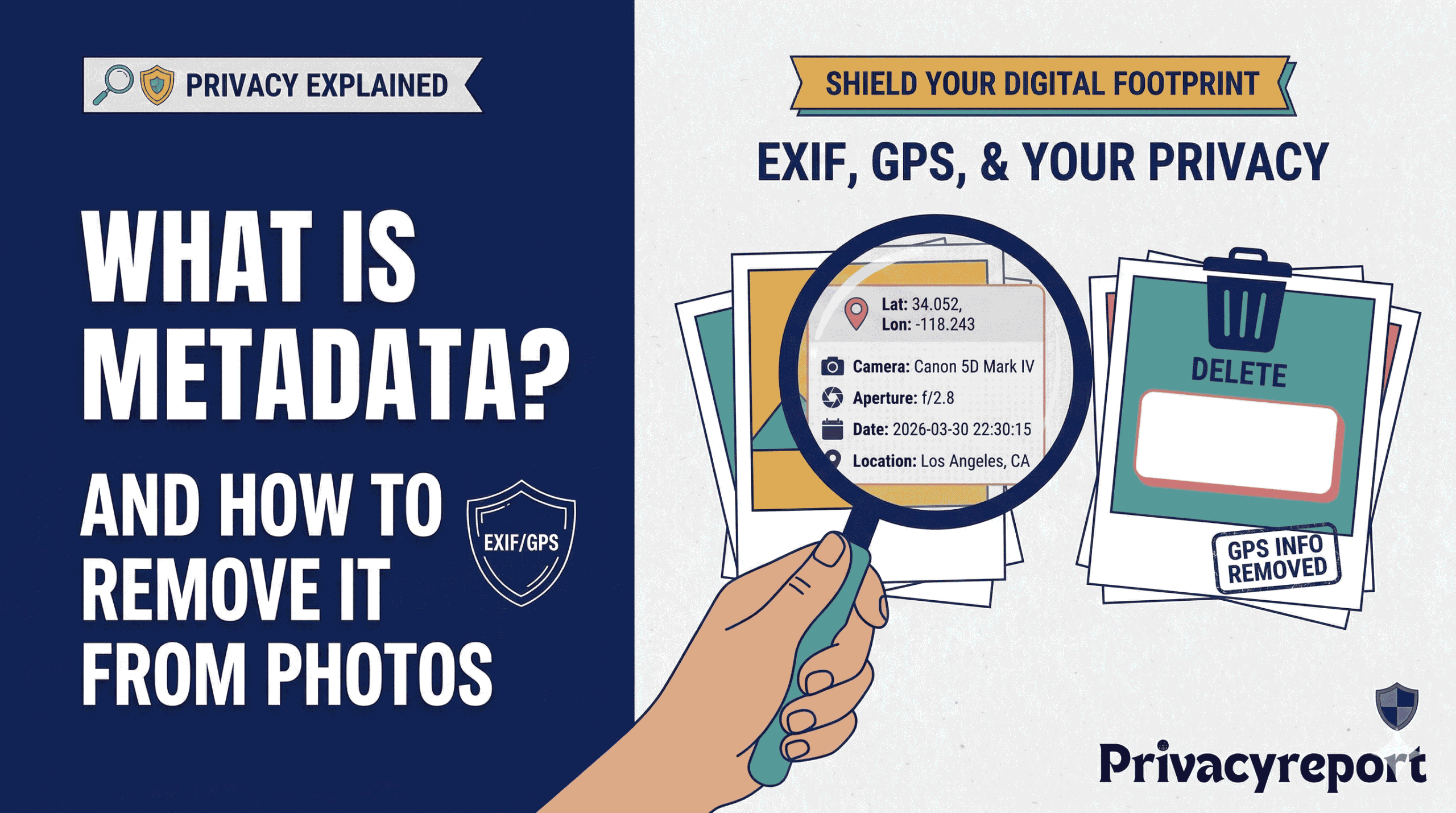
Every time you snap a photo with your smartphone or digital camera, the file saved to your device contains far more than just the image itself. Tucked invisibly inside that JPEG or PNG is a structured layer of information — called metadata — that can reveal details about you, your device, and even exactly where you were standing when you pressed the shutter.
Most people share photos without a second thought. But behind each image file, this hidden data travels along for the ride — to social media platforms, messaging apps, email inboxes, and beyond.
What Is Metadata?
The word metadata literally means “data about data.” In the context of photos, it is supplementary information embedded within the file itself — invisible when you view the image normally, but fully readable by any software that knows where to look.
Most photo metadata follows a standard called EXIF (Exchangeable Image File Format), developed in the 1990s and now universally supported by cameras and smartphones. EXIF data is written directly into the image file at the moment of capture and persists unless explicitly deleted.
What Does Photo Metadata Contain?
A single photo can contain dozens of hidden data fields, including:
- GPS coordinates (latitude, longitude, sometimes altitude)
- Date and time the photo was taken
- Camera make, model, and serial number
- Smartphone device name and OS version
- Shutter speed, aperture, and ISO settings
- Software used to edit or process the image
- Copyright and artist name (if entered)
The most sensitive field is GPS location data. When location services are enabled on your phone, every photo is tagged with precise coordinates — often accurate to within a few metres. Share that photo publicly, and anyone with a simple metadata viewer can pinpoint your home, workplace, or daily routine.
Why Should You Care?
Metadata-related privacy incidents are well documented. Journalists, activists, and abuse survivors have been located through GPS-tagged photos shared online. Even for everyday users, the risks include:
- Stalking and location tracking — photos taken at home can expose your address to strangers
- Profiling by platforms — advertisers use device info and timestamps to build behavioural profiles
- Identity correlation — camera serial numbers can link photos across different accounts back to the same device
- Unintended disclosure — in legal or professional contexts, editing history and file details may reveal information you didn’t mean to share
Do Social Media Platforms Strip Metadata?
Many platforms strip EXIF data when you upload — but you should not rely on this as your only protection. Policies change, stripping is often incomplete, and the platform retains your data internally regardless.
- Instagram / Facebook — strips before public display, retains internally
- Twitter / X — strips on upload
- WhatsApp — compresses and strips most EXIF
- Telegram — does NOT strip by default; sends original file
- Email — full metadata transmitted with every attachment
- iMessage / SMS — full EXIF transmitted by default
How to Remove Metadata From Photos
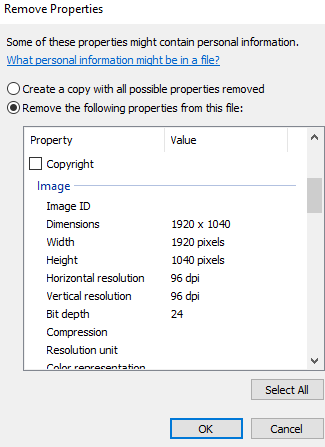
On Windows (Built-In)
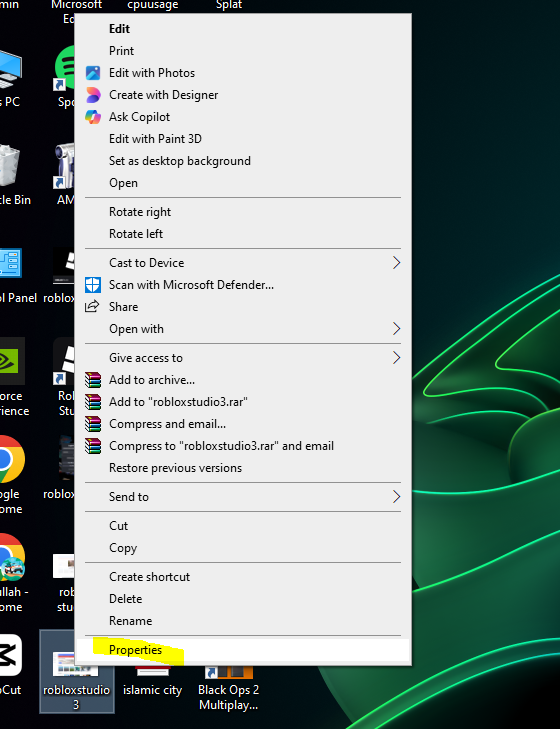
- Right-click the photo and select Properties
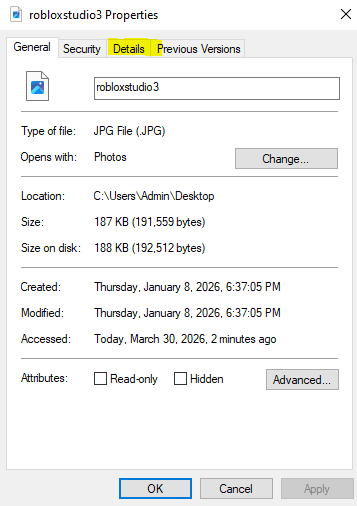
- Click the Details tab
- At the bottom, click Remove Properties and Personal Information
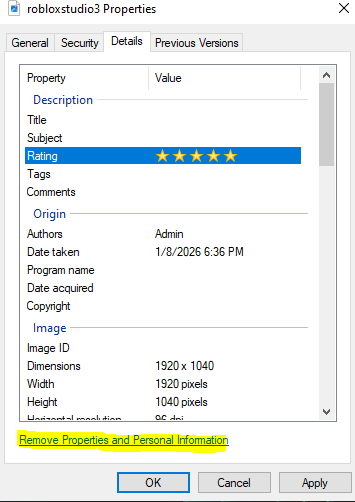
- Choose to remove all properties, then click OK
On macOS
Open the Photos app, select your photo, then go to File → Export → Export Photo and uncheck Include Location Information before saving.
On iPhone (iOS 14+)
- Open the photo in the Photos app
- Tap the Share button
- Tap Options at the top of the share sheet
- Toggle off Location, then share as normal
To stop location being added at capture time: go to Settings → Privacy & Security → Location Services → Camera → Never.
On Android
Open the photo in Google Photos, tap the three-dot menu, then Details to view data. To strip metadata before sharing, use a free app like Photo Metadata Remover from the Play Store.
Using ExifTool (All Platforms — Most Powerful)
ExifTool is a free, open-source command-line tool that works on Windows, macOS, and Linux.
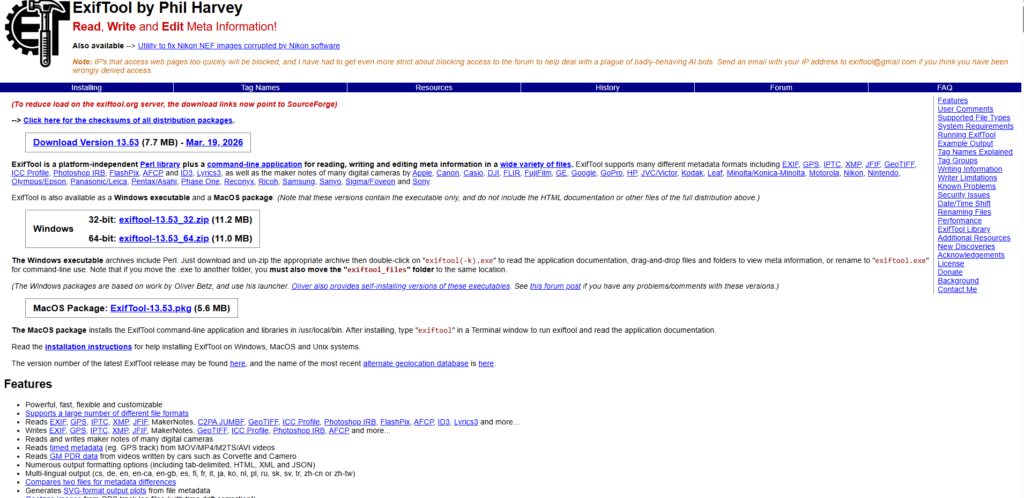
- Remove all metadata from one file:
exiftool -all= photo.jpg - Remove metadata from all JPEGs in a folder:
exiftool -all= *.jpg - Remove GPS data only:
exiftool -gps:all= photo.jpg
Third-Party Apps
- ExifCleaner (Windows) — free, drag-and-drop batch processing
- ImageOptim (macOS) — removes metadata alongside image compression
- Metapho (iPhone) — view and selectively remove EXIF fields
- Photo Metadata Remover (Android) — one-tap stripping before sharing
Best Practices Going Forward
- Disable camera location access for photos you plan to share publicly
- Always strip metadata before sending photos by email or apps that preserve original files
- Use the iOS share sheet “Options” to remove location when sharing from iPhone
- Screenshot sensitive images before sharing — screenshots don’t inherit the original EXIF data
- Use ExifTool or ExifCleaner for bulk processing when publishing large photo sets
Conclusion
Metadata is neither good nor bad — it serves real purposes, from organising photo libraries to verifying image authenticity. The problem is that most people share it unknowingly. Now that you know what it is and how to remove it, you can make deliberate choices about what information travels with your images. Taking a few extra seconds to strip a photo clean before sharing is one of the simplest privacy steps available to anyone.
Leave a Reply