
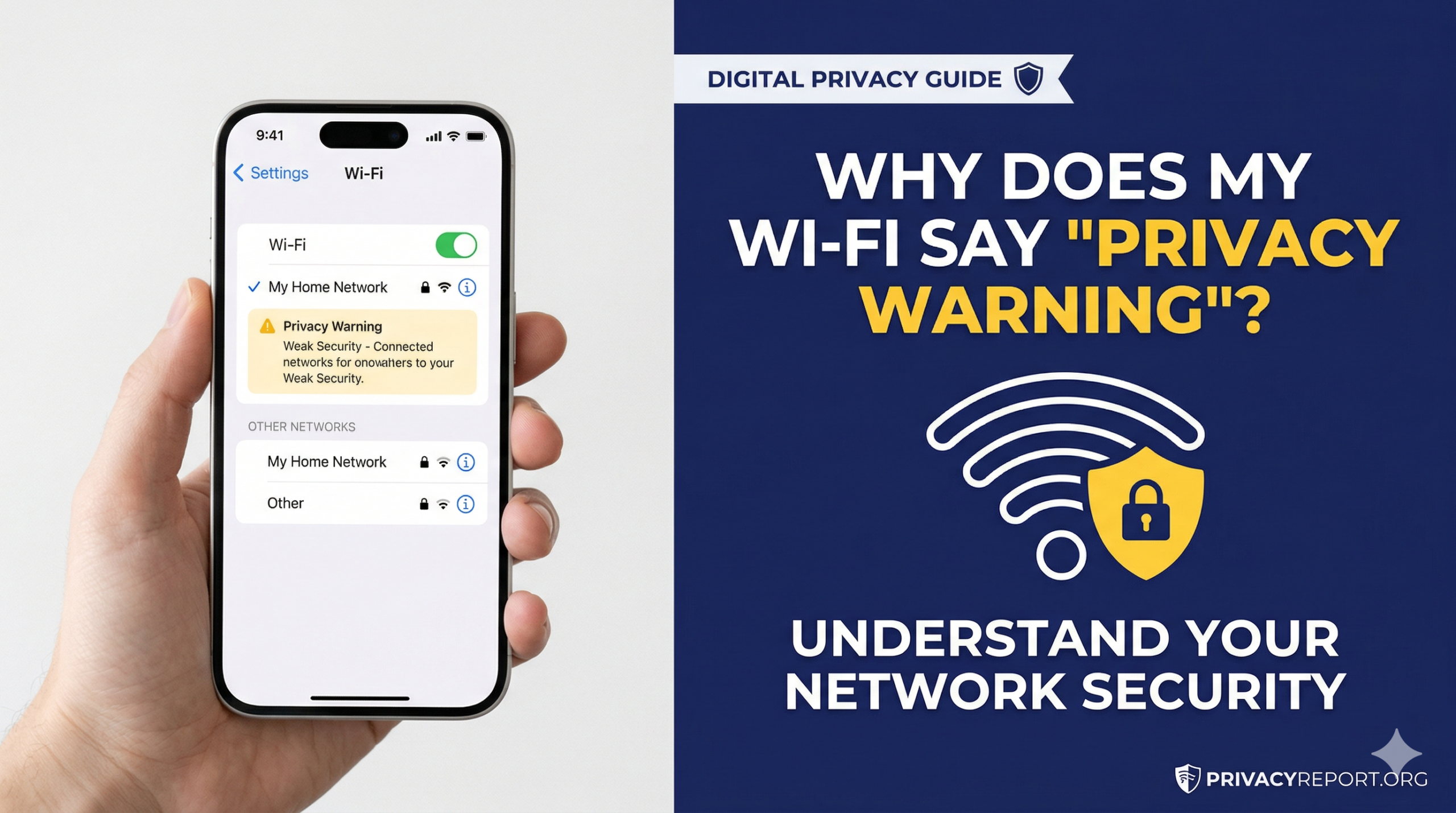
If you have ever looked at your smartphone’s network settings and wondered, “what does privacy warning mean on wifi?” you are not alone. This notification is one of the most common alerts on modern devices, especially when users are searching for a secure connection to 123Movies alternatives or other streaming platforms. While it is often misunderstood, this alert isn’t necessarily a sign that you have been hacked; instead, it is a critical “health check” from your operating system warning you that your current connection is not following modern privacy standards.
As an ICS student , understanding these signals is vital. A privacy warning is a proactive defense mechanism. It’s your device’s way of saying, “I can connect to this network, but I can’t guarantee your data is hidden from trackers or malicious actors.”
1. The Technical Triggers: Why the Warning Appears
To truly answer the question of what does privacy warning mean on wifi, we have to look at how your device talks to a router. There are three primary technical reasons this warning appears:
MAC Address Exposure (The “Fingerprint” Risk)
Every Wi-Fi chip has a permanent, unique serial number called a MAC address. In the past, your phone used this same address for every network. This allowed shopping malls, airports, and ISPs to track your movement. Modern operating systems now use MAC Randomization. If your device is set to use its “Hardware MAC” instead of a “Private/Randomized MAC,” Google and Apple devices will trigger a privacy warning to let you know you are trackable.
Outdated Encryption Protocols
If the Wi-Fi network is using old security like WEP or WPA-TKIP, the “privacy warning” is actually a “security warning.” These older protocols use weak ciphers that can be cracked by a basic laptop in minutes. Modern standards require WPA2-AES (CCMP) or the newer WPA3-SAE.
DNS Interception and Monitoring
Sometimes, a network will block “Encrypted DNS.” Usually, when you type a website name, it is encrypted so the Wi-Fi owner can’t see it. If the network forces your phone to use “Plaintext DNS,” your device will alert you that your browsing history is potentially being monitored by the network administrator or ISP.
2. Quick Comparison: Warning Types & Risks
This table summarizes the different levels of alerts you might see when asking what does privacy warning mean on wifi.
| Warning Message | Technical Cause | Risk Level | Primary Impact |
| Privacy Warning | Hardware MAC address is visible | Medium | Location & Identity Tracking |
| Weak Security | Outdated WEP/TKIP Encryption | High | Data Theft & Hacking |
| DNS Warning | Encrypted DNS traffic is blocked | Medium | Browsing History Spying |
| Untrusted Network | Certificate mismatch or MITM | Critical | Immediate Data Exposure |
3. Step-by-Step: How to Resolve Privacy Warnings
Knowing what does privacy warning mean on wifi is only half the battle; you also need to know how to fix it.
On Android Devices
- Open Settings and go to Network & Internet.
- Tap on your connected Wi-Fi name.
- Look for the Privacy section.
- Change the setting from “Use Device MAC” to “Use Randomized MAC”.
On Apple iOS (iPhone/iPad)
- Open Settings and tap Wi-Fi.
- Tap the (i) blue icon next to your network.
- Ensure the toggle for Private Wi-Fi Address is turned On.
4. Why This Matters for Online Workers
For those of us working online or studying Computer Science, our digital identity is our most valuable asset. Using a permanent MAC address allows data brokers to build a profile of your habits. Furthermore, if you are working on a network with “Weak Security,” your login credentials for freelancing sites or development consoles could be intercepted. Fixing these warnings ensures your “Online Office” remains secure.
External Technical Resources
For a deeper dive into the official documentation and the protocols mentioned above, refer to these primary authorities:
- Apple Official Support: Recommended settings for Wi-Fi routers and access points – Detailed guide on why iOS triggers these alerts.
- Android Open Source Project (AOSP): MAC Randomization Behavior – Technical breakdown of how Android handles privacy.
- Microsoft Support: Windows Wi-Fi Privacy Settings – Documentation on random hardware addresses.
- Wi-Fi Alliance: WPA3™ Security Capabilities – The official standard for the next generation of Wi-Fi security.
Summary & Final Takeaway
Understanding what does privacy warning mean on wifi is essential for anyone navigating the modern digital landscape. In summary, this alert is your device’s proactive way of identifying a “privacy gap” between your hardware and the network’s configuration. Whether the trigger is an exposed MAC address, an outdated encryption protocol like WEP, or the blocking of encrypted DNS traffic, the message is clear: your data is less secure than it should be.
Frequently Asked Questions (FAQs)
Q1: Does a privacy warning mean my phone is hacked?
No. It simply means your connection settings are “leaking” your device’s ID. It is a preventative alert, not a sign of an active hack.
Q2: Should I disconnect if I see this warning?
Not necessarily. If you are at home, update your router to WPA3. If you are on public Wi-Fi, just turn on your device’s “Private Address” setting to stay safe.
Q3: Why does the warning stay after I turn on Private MAC?
This happens if the router is the problem. Even if your ID is hidden, the router might be using old, weak encryption (like WEP) or blocking secure DNS.
Q4: Will these privacy settings slow down my internet?
No. Using a Randomized MAC or Private Address has zero impact on your browsing speed or download performance.
Q5: Is “Weak Security” different from a “Privacy Warning”?
Yes. A Privacy Warning usually means your ID (MAC) is visible. Weak Security means the Wi-Fi password encryption is old and easy for hackers to crack.
Leave a Reply