
Is Net mirror app or web safe?
Last updated: October 2026
Neither the Net mirror app nor the web version is fully safe to use. While the web portal runs inside a browser sandbox without requiring local installation, it frequently exposes visitors to aggressive ad networks, phishing redirects, and persistent tracking scripts. The downloadable mobile app (APK) presents an even higher threat level because sideloading unverified binaries grants native OS permissions, increasing the risk of device tracking, embedded trojans, and malware execution.
For indie hackers, vibe coders, and small SaaS founders who spend their days building on platforms like Lovable, Bolt, Cursor, Replit, Claude Code, Supabase, or Firebase, navigating third-party web portals and APKs requires an understanding of browser sandboxing, origin isolation, and environment protection.
What is Net mirror and how does it work?
Net mirror is an unverified third-party media directory and streaming mirror service that aggregates links to commercial movies and TV shows across external servers. The service operates through two primary distribution channels: standard browser-based web portals and sideloaded Android Application Packages (APKs).
nderstanding the difference between these execution models is key:
- The Web Version: Executes inside client browser runtimes (Chrome, Firefox, Safari). It relies on web transport over HTTPS but frequently loads aggressive JavaScript trackers, pop-unders, and dynamic domain redirects.
- The Mobile App (APK): Bypasses official channels like Google Play or the Apple App Store, requiring users to explicitly enable “Install unknown apps”. This execution bypasses native OS safety gates, exposing local file storage and network activity to unverified binaries.
Is Net mirror app or web safe for developers and general users?
The Net mirror web version carries a lower structural risk to your core file system than the app binary, but multiple multi-engine security scans classify both delivery mechanisms as suspicious.
API Security News: October 2026 Roundup
Threat intelligence aggregators like ScamAdviser and PCrisk show that domains hosting Net mirror mirror portals frequently trigger detections for phishing schemes, unauthorized browser redirects, and dynamic script injections.
| Security Parameter | Net mirror Web Portal | Net mirror Mobile App (APK) |
| Execution Context | Browser Sandbox (Low OS-level access) | Native OS Binary (High permission potential) |
| Installation Risk | None (No file installation needed) | High (Requires manual APK sideloading) |
| Threat Vector | Phishing, pop-under ads, session tracking | Adware injection, keylogging, background calls |
| Domain Reputation | Flagged by multiple vendor engines | Unverified origins; frequent binary alteration |
| Impact on Dev Workstation | Low filesystem risk; moderate session risk | High filesystem and local environment risk |

Why sideloading Net mirror APKs poses severe security risks
Downloading and running APK files from unverified third-party domains is one of the quickest ways to compromise a local network or test device.
When an application is distributed outside official app stores, it bypasses continuous binary auditing. Malicious actors frequently take legitimate open-source or free streaming builds, inject background payload scripts, and re-host the resulting APK on search engine mirror networks. Once installed, these modified binaries can request dangerous permissions—such as reading local storage, accessing background network sockets, or modifying system settings.
OWASP Top 10 API Security Risks – 2023
Security pitfalls: AI tools and developer credentials
If you build web apps using Cursor, Claude Code, Lovable, Bolt, or Replit, your developer environment contains sensitive assets: API keys, database connection strings, and OAuth client credentials. Visiting unsafe streaming portals or running unverified APKs on your development hardware creates cross-contamination risks.
A common path to credential leakage occurs when AI coding assistants generate frontend code that inadvertently bakes private variables into client-side production builds.
Common mistakes AI coding tools make on web security
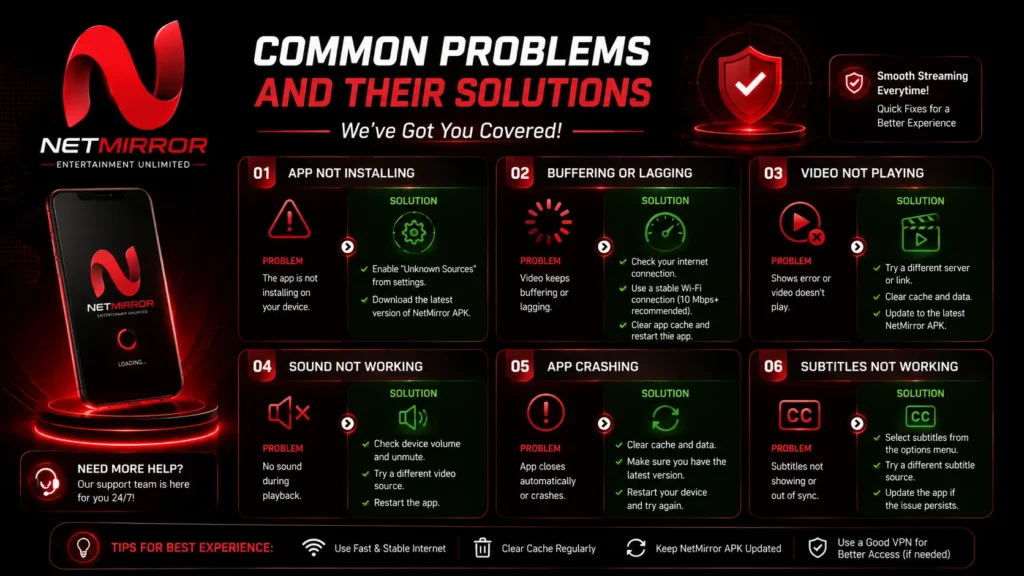
When prompt-engineering your application stack through AI tools like Bolt, Lovable, or Cursor, be aware of standard security oversights AI agents consistently make:
- Exposing environment prefix variables: AI tools often mark private environment secrets with public prefixes (
VITE_,NEXT_PUBLIC_,REACT_APP_), forcing frontend bundle compilers to expose secrets in raw JS files. - Disabling CORS protections: AI agents routinely write catch-all CORS headers (
Access-Control-Allow-Origin: *) on backend endpoints to solve immediate development bugs, leaving API routes open to cross-origin abuse. - Omitting backend authentication checks: Prompts asking for quick database queries often lead AI tools to generate client-side calls that bypass backend authentication middleware entirely.
- Skipping Row Level Security (RLS): Databases created in Supabase or Firebase via automated prompts often default to public read/write access unless explicitly instructed to generate strict RLS policies.
- Ignoring Content Security Policy (CSP) headers: AI scaffolding tools rarely configure basic CSP headers, leaving web applications susceptible to inline script injections and cross-site scripting (XSS).
Quick security checklist for indie hackers

Use this checklist to maintain secure boundaries across your browser sessions and development projects:
- [ ] Separate dev & browsing environments: Keep your development profile (containing session tokens and localhost credentials) isolated from casual web browsing.
- [ ] Audit public environment variables: Double-check that no private API keys or database secrets carry frontend prefixes in
.envfiles. - [ ] Verify database RLS policies: Ensure every table in your Supabase or Firebase project has active, tested Row Level Security policies enabled.
- [ ] Avoid third-party APK sideloading: Never install executable binaries or APK files from unverified third-party mirror domains on your active dev devices.
- [ ] Set strict CSP headers: Configure server headers to restrict script execution exclusively to trusted origins.
- [ ] Run automated security scans: Use PrivacyReport to audit public endpoints and client bundles for leaked keys prior to launching.
Frequently asked questions
Is Net mirror app or web safe?
Neither variant is completely safe. The web version isolates scripts within your browser sandbox but exposes users to malicious pop-unders and phishing redirects. The mobile app (APK) presents direct local security risks due to unverified binaries and sideloading permission requirements.
What Is a Secret Scanner and Why You Need One
Can Net mirror steal my Supabase or Firebase keys?
The Net mirror portal itself cannot directly extract local database keys from an isolated tab. However, running unverified scripts or unvetted browser extensions in the same browser session as your active developer dashboards can expose active sessions to cross-site scripting or token theft.
Is it safe to download Net mirror APKs from third-party mirrors?
Image Placement Recommendations
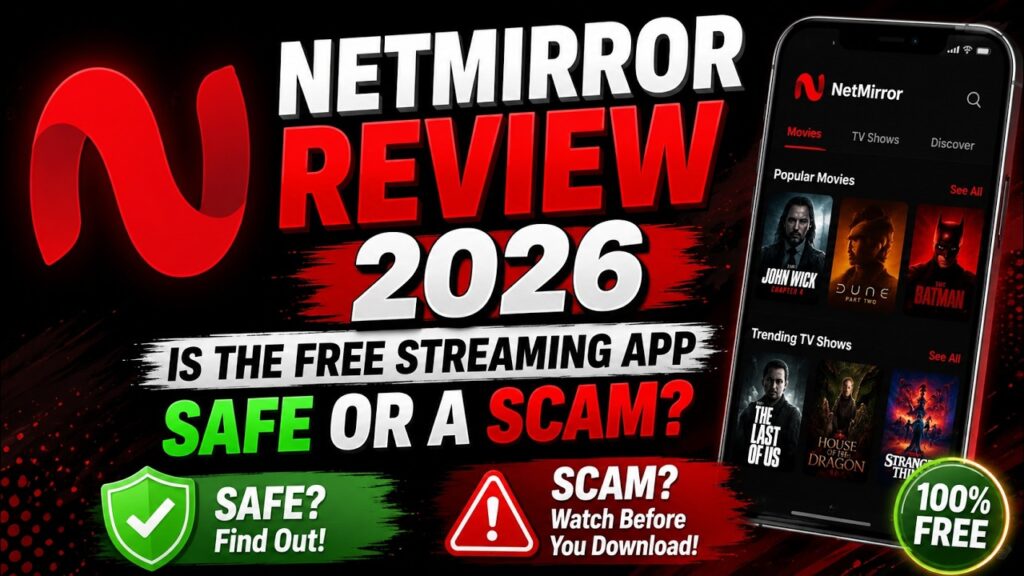
No, downloading Net mirror APKs from third-party sites carries high malware risks. Independent scans reveal these mirrors frequently serve modified files containing tracking payloads or embedded adware.
Does the Net mirror web version collect personal data?
Yes, multi-engine security reports indicate that Net mirror web mirrors host fingerprinting scripts, tracking pixels, and dynamic ad networks designed to harvest IP addresses and device browser metadata.
How can indie hackers check if their web apps are secure?
Indie hackers can audit their web applications by using client-side bundle scanners, validating environment variable exposure, verifying backend Row Level Security policies, and running automated scans via PrivacyReport.
net-mirror-app-or-web-safe-architecture.png- Placement: Under the section “What is Net mirror and how does it work?”
- Alt text: Diagram showing whether Net mirror app or web safe architecture isolates scripts or risks system access.
net-mirror-web-security-scan-results.png- Placement: Under the section “Is Net mirror app or web safe for developers and general users?”
- Alt text: Security report evaluating if Net mirror app or web safe streaming portals contain phishing vectors.
supabase-environment-variable-leak-example.png- Placement: Under the section “Security pitfalls: AI tools and developer credentials”
- Alt text: Example code audit checking if Net mirror app or web safe browsing habits expose client keys.
indie-hacker-security-checklist-overview.png- Placement: Directly under the “Quick security checklist for indie hackers” section.
- Alt text: Checklist displaying whether Net mirror app or web safe links impact local developer environments.

Hussian riaz is content lead aat privacyreport speclialized in vibe coding securit