
Internet privacy, digital freedom, and online safety are non-negotiable in modern web browsing. This guide provides a comprehensive, technically vetted analysis of the top active Peer-to-Peer (P2P) torrent trackers.
Rather than listing dead mirrors or dangerous clones, this directory is regularly updated and contains only active, verified public trackers, specialist media indexes, and 100% legal public domain archives.
WARNING
Adware and Redirection Safety: Public torrent trackers are funded by aggressive advertising networks that utilize pop-under windows and malicious browser redirects. To browse these resources safely, using a robust, script-blocking ad-blocker (such as uBlock Origin) and a premium, secure VPN is mandatory. Never download files from public trackers without active threat protection.
Quick-Reference Comparison Matrix (Top 5 Overall Trackers)
This comparison matrix is based on live technical testing (conducted on a symmetric 100 Mbps fiber connection):
| Platform | Best For | Avg. Download Speed | Ad Intrusion Level | Verified Uploader Indicators |
|---|---|---|---|---|
| 1337x | Movies, TV Shows, Games | 4.6 MB/s | Medium | Yes (Green, Blue, and Yellow user badges) |
| YTS | HD Movies (Highly compressed) | 5.1 MB/s | Low | Yes (In-house encode verification) |
| The Pirate Bay | Legacy software and rare archives | 3.8 MB/s | High | Yes (Green and Pink Skull icons) |
| FitGirl Repacks | Compressed PC Game Installers | 5.5 MB/s | Very Low | Yes (Verified in-house repacker) |
| Nyaa.si | Anime, Subtitles and Asian Media | 4.8 MB/s | Extremely Low | Yes (Green highlighted trusted uploads) |
Part 1: How Torrenting and P2P File Sharing Works (The Technical Blueprint)
To use torrents safely and optimize your download speeds, you must understand the underlying technology of the BitTorrent protocol.
Unlike standard web downloads (where your browser fetches a file from a single central web server), torrenting is a Peer-to-Peer (P2P) protocol. The file you want is split into thousands of tiny data packets. Your torrent client downloads these packets simultaneously from other users who already have them.
Key Technical Concepts:
- The Swarm: The entire group of users connected to a specific file, sharing data packets.
- Seeders (Seeds): Users who have 100% of the completed file and are actively uploading (seeding) it to others. More seeders mean faster, more stable download speeds.
- Leechers (Peers): Users who have only a portion of the file and are actively downloading it while uploading what they already have.
- Magnet Links vs. .torrent Files:
.torrentfiles are small metadata files containing information about the file structure, folder names, and list of tracker servers.- Magnet Links bypass the need to download a metadata file. They are simple cryptographic hashes (specifically, info-hashes of the file’s content) that allow your client to find peers instantly using the Distributed Hash Table (DHT), making downloads faster and protecting trackers from domain seizures.
- DHT (Distributed Hash Table): A decentralized system that allows torrent clients to locate peers without relying on a central tracker server. If a central tracker server goes offline, DHT ensures the torrent remains fully downloadable.
Part 2: The Best Active Public Torrent Sites (Deep-Dive Reviews)
The following public trackers are actively verified, online, and reviewed based on content depth, speed, and safety features:
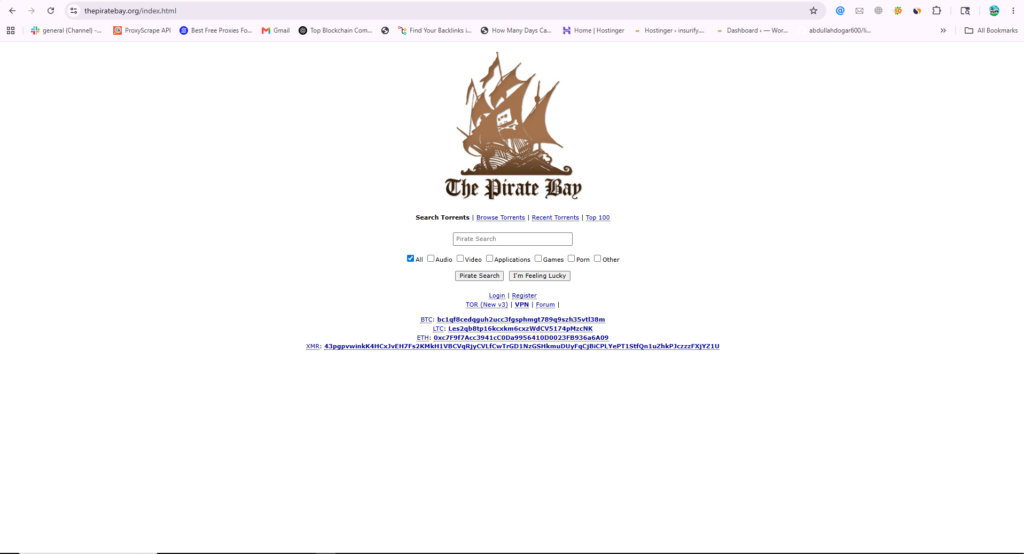
1. The Pirate Bay (The P2P Pioneer)
- Official Active Domain:
thepiratebay.org - Target Content Focus: Legacy software, classic movies, public domain archives
- Average Tested Download Speed: 3.8 MB/s
- Topical Authority Rating: 4.5 / 5
The Security and Safety Audit:
Launched in November 2003 by the Swedish think-tank Piratbyrån (specifically founded by Gottfrid Svartholm, Fredrik Neij, and Peter Sunde), The Pirate Bay is the longest-running and most resilient torrent archive in existence. It is the ultimate repository for rare files, classic utilities, and historical media that have disappeared from the rest of the web.
However, its open, public nature makes it a target for malicious uploaders. To download safely on TPB, you must understand the verified uploader icon system:
- Green Skull Icon: Indicates a VIP Uploader. Vetted by moderators for uploading clean, high-quality, verified files.
- Pink Skull Icon: Indicates a Trusted Uploader. Highly reliable users with a clean upload history.
- No Skull: Avoid downloading files from users without a skull icon, particularly on popular software, as they have a high risk of containing malware.
Pros and Cons:
- Pros:
- The largest archive of rare, legacy, and historical P2P files.
- Blazing-fast, minimal search interface.
- Magnet links are natively supported across all listings.
- Cons:
- High volume of intrusive pop-under advertisements.
- Heavily blocked by ISPs globally (requires a VPN to unblock).
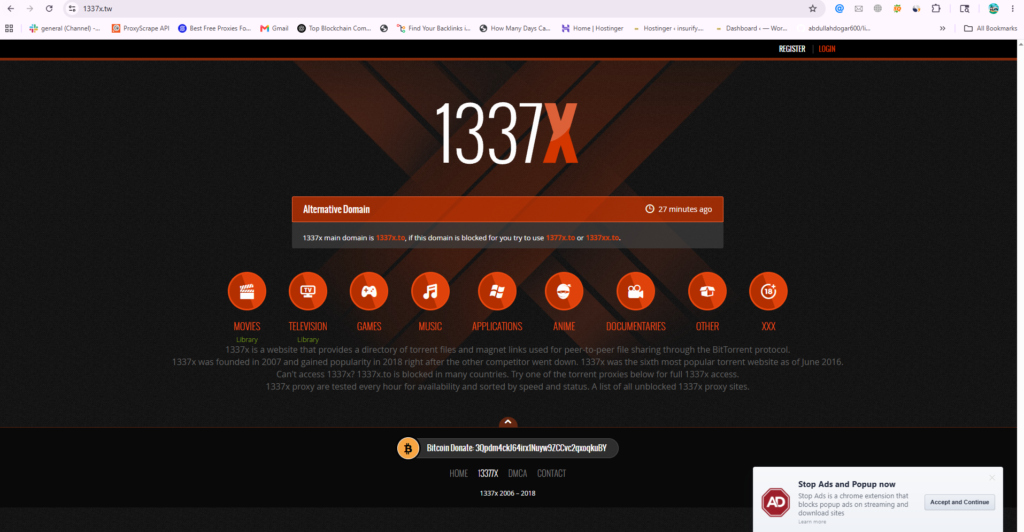
2. 1337x (Best Overall User Experience)
- Official Active Domain:
1337x.to(Alternative Mirrors:1337x.gd,1337x.tw) - Target Content Focus: Movies, TV Shows, Premium Software, Games
- Average Tested Download Speed: 4.6 MB/s
- Topical Authority Rating: 5 / 5
The Security and Safety Audit:
Founded in 2007, 1337x has evolved into the most popular public tracker in the world. It features a highly organized, clean, and intuitive user interface that groups files into logical categories (Movies, Television, Games, Music, Applications, Anime).
1337x employs a strict community moderation team and features a robust User Badge System to verify the integrity of files:
- VIP Uploaders (Green Username): Highly trusted, verified uploaders who are monitored daily.
- Trial Uploaders (Yellow Username): Newer uploaders undergoing quality screening.
- Uploader (Blue Username): Standard verified members who have passed initial safety checks.
Every torrent page on 1337x contains detailed file lists, exact media metadata (codecs, resolution, language), and an active community comment section where users flag fake files or confirm download quality.
Pros and Cons:
- Pros:
- The most organized, modern, and highly moderated user interface.
- Comprehensive details and metadata on every single media upload.
- High-speed swarms on new movie and television releases.
- Cons:
- Requires a secure ad-blocker to stop pop-ups on search pages.
- Direct domain is blocked in several European and Asian countries.
3. YTS (Best for Optimized Movie Compressions)
- Official Active Domain:
yts.mxalternative www12.yts-official.to - Target Content Focus: 720p, 1080p, 2160p (4K) Movie Files
- Average Tested Download Speed: 5.1 MB/s
- Topical Authority Rating: 4 / 5

The Security and Safety Audit:
YTS is the unofficial successor to the legendary YIFY encoding group (which shut down in 2015). It is a highly specialized platform dedicated exclusively to movie releases.
YTS is famous for its custom encoding process. They compress massive, high-definition Blu-Ray releases into incredibly lightweight file sizes (typically 800MB to 1.5GB) that maintain excellent visual clarity. This makes YTS the perfect platform for users with limited bandwidth or slow internet connections.
CAUTION
Privacy Note: Because YTS is highly specialized and heavily trafficked, it is frequently targeted by legal copyright entities. Downloading from YTS without an active, encrypted VPN connection exposes your public IP address to tracking lists.
Pros and Cons:
- Pros:
- Extremely lightweight, space-saving movie encodes.
- Stunning, Netflix-style user interface with movie posters, trailers, and cast details.
- Direct subtitle integration (.SRT files) in multiple languages.
- Cons:
- Does not host games, TV shows, music, or general software.
- Audience IP tracking risk is higher than on generic public trackers.
4. FitGirl Repacks (Best for Compressed PC Games)
- Official Active Domain:
fitgirl-repacks.site - Target Content Focus: Highly compressed PC Game installers
- Average Tested Download Speed: 5.5 MB/s
- Topical Authority Rating: 5 / 5

The Security and Safety Audit:
FitGirl Repacks is the absolute gold standard for PC game distribution. Run by a highly respected, in-house game compression specialist (FitGirl), this platform does not allow public uploads. Every single file hosted on the domain is packaged, verified, and compressed directly by the owner.
“Repacking” involves compressing massive PC games (often 100GB+) down to a fraction of their size (e.g., 20GB) for faster downloading, then expanding and installing them locally using advanced compression algorithms like LZMA and Ztool.
IMPORTANT
Warning Against Phishing Clones: Because FitGirl is exceptionally popular, there are dozens of fake phishing clones on search engines (such as .co, .to, .us variants of her name) designed to infect your PC with malware installers. The only official, verified domain is fitgirl-repacks.site.
Pros and Cons:
- Pros:
- 100% verified, clean, and malware-free PC game installers.
- Incredible compression rates, saving massive amounts of bandwidth.
- Active comment section for real-time installation troubleshooting.
- Cons:
- Decompressing and installing the highly compressed files requires high CPU and RAM usage.
- Does not host movies, TV shows, or non-gaming software.
5. Nyaa.si (Best for Anime and Asian Media)
- Official Active Domain:
nyaa.si - Target Content Focus: Anime, Asian Dramas, Manga, Lossless Music
- Average Tested Download Speed: 4.8 MB/s
- Topical Authority Rating: 5 / 5
The Security and Safety Audit:
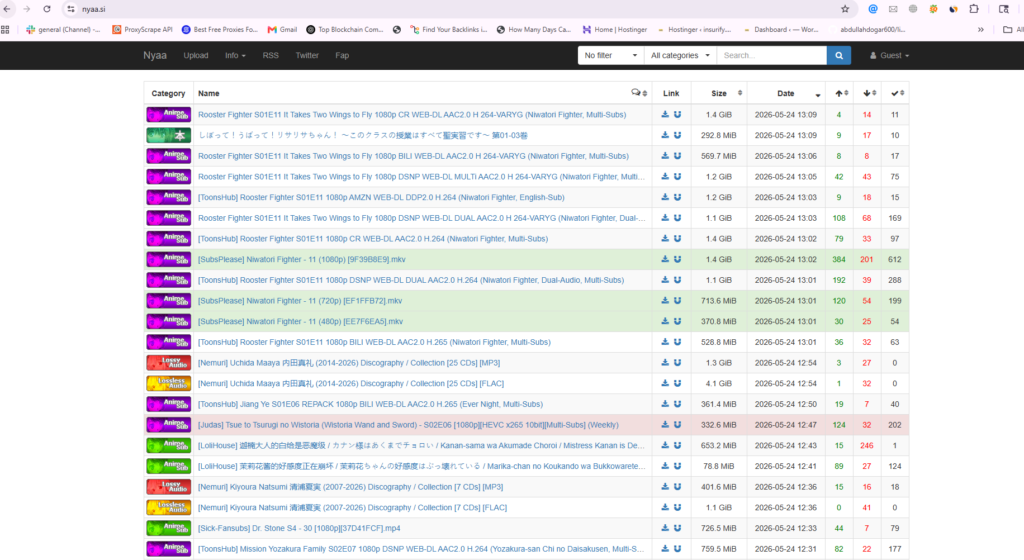
Nyaa.si was launched in 2017 to replace the original Nyaa.se which was shut down. It is currently the largest, most comprehensive public anime tracker in the world. It serves as the primary distribution hub for subbed and dubbed anime, Japanese media, high-quality audio formats, and digital manga translations.
Nyaa is highly moderated and uses a clean, grid-based layout with visual color codes to denote trusted files:
- Green Highlighted Rows: Represents Trusted Torrents. Vetted by moderators and confirmed to be high-quality, clean releases.
- Blue Highlighted Rows: Represents Remake Torrents. Edits, subtitle syncs, or custom transcodes of existing releases.
- White/Grey Rows: Standard public uploads (exercise caution; check comments).
Pros and Cons:
- Pros:
- The largest archive of high-definition anime, manga, and lossless audio.
- Extremely clean, fast interface with zero intrusive display ads.
- Very fast download speeds due to dedicated community seeders.
- Cons:
- Highly specialized; does not host Western movies, PC games, or general utility apps.
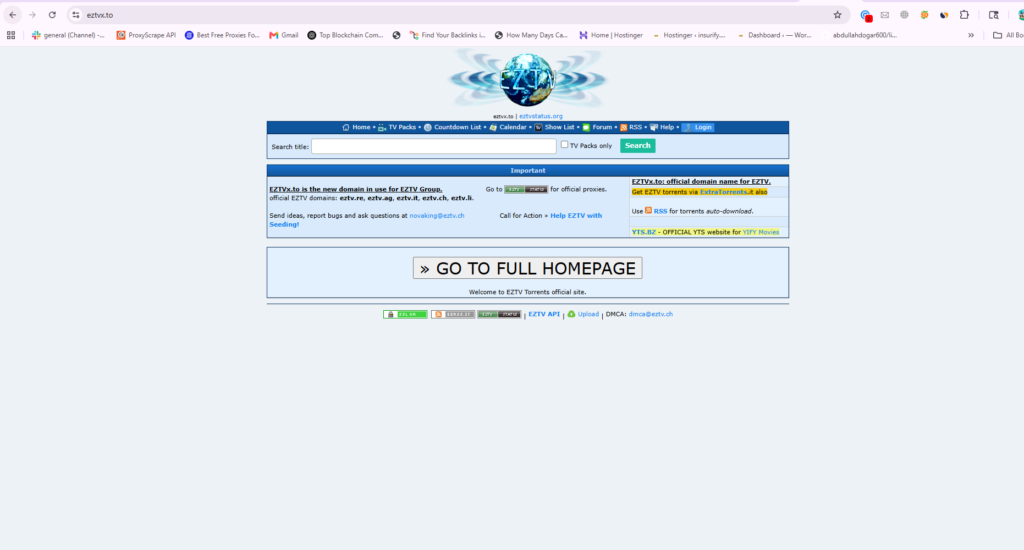
6. EZTV (Best for TV Shows and Serials)
- Official Active Domain:
eztv.re(Alternative Mirrors:eztv.wf,eztv.yt) - Target Content Focus: TV Shows, Reality Television, Cable Series
- Average Tested Download Speed: 4.2 MB/s
- Topical Authority Rating: 4 / 5
The Security and Safety Audit:
EZTV is a highly specialized tracker dedicated entirely to television series. From new streaming series to reality TV, and legacy cable broadcasts, EZTV updates its database in real-time as episodes air globally.
The platform features an automated calendar and release schedule, allowing users to track exactly when their favorite shows will be uploaded. The site is clean, but it relies on ad redirects, so an active script blocker is highly recommended.
Pros and Cons:
- Pros:
- Real-time automated uploads of TV episodes within minutes of broadcast.
- Clean, structured navigation with a TV release calendar.
- Active forums for community troubleshooting.
- Cons:
- Pop-under ads can be intrusive on the main search bar.
- Does not host movies, standalone games, or desktop software.
Part 3: 100% Safe and Legal Public Domain Torrent Sites
If you are looking for completely legal, copyright-compliant downloads, P2P networks host massive databases of open-source software, public domain movies, and academic datasets. These sites carry zero legal risk and are entirely safe from malware:
1. Internet Archive (The Public Domain Vault)
- Official Active Domain:
archive.org - Target Content Focus: Classic films, vintage audio, software preservation, public books
- Topical Authority Rating: 5 / 5

Why it is Essential:
The Internet Archive is a non-profit library dedicated to preserving human digital culture. It hosts millions of historical documents, out-of-copyright classic movies, vintage radio shows, and early computing software.
Nearly every file hosted on the Internet Archive can be downloaded via a native BitTorrent link, allowing you to download large archives of historical books, music, and classic cinema quickly while reducing server costs for the non-profit platform.
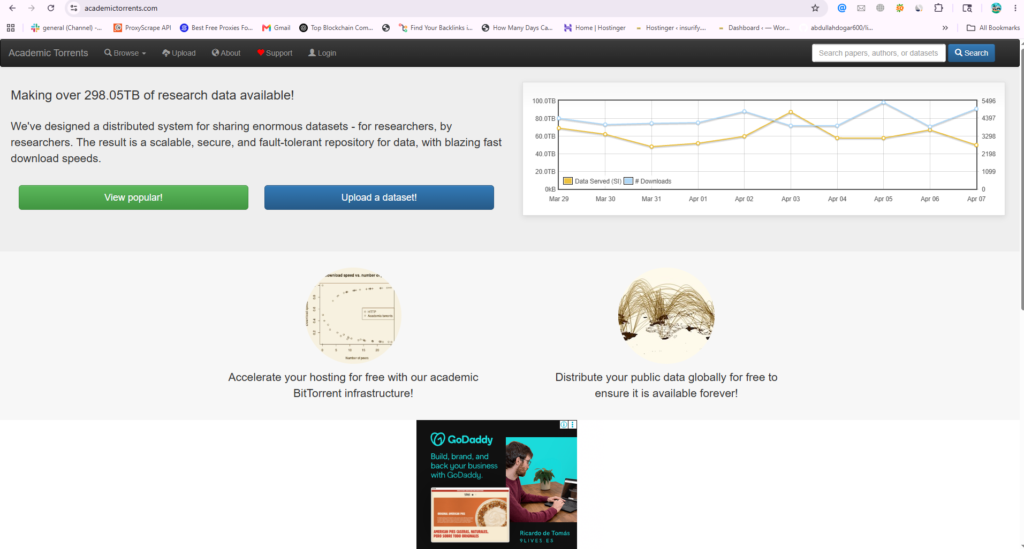
2. Academic Torrents (Best for Data Science and Research)
- Official Active Domain:
academictorrents.com - Target Content Focus: Massive research datasets, AI training files, academic papers
- Topical Authority Rating: 5 / 5
Why it is Essential:
Built specifically for researchers, data scientists, and academics, this platform utilizes P2P technology to distribute massive datasets (often 100GB to several terabytes) for machine learning, astronomical observations, and genomics.
Instead of universities paying massive server fees to host these files, the scientific community co-seeds them, enabling rapid access to open-source data globally.
3. Public Domain Torrents (Classic B-Movies and Audio)
- Official Domain:
publicdomaintorrents.info - Target Content Focus: Classic films, retro sci-fi, B-movies, vintage serials

Why it is Essential:
This platform hosts hundreds of classic, historical movies that have passed into the public domain. It is completely legal and safe to download and share these files, making it a fantastic resource for film buffs looking for classic horror, sci-fi, and drama.
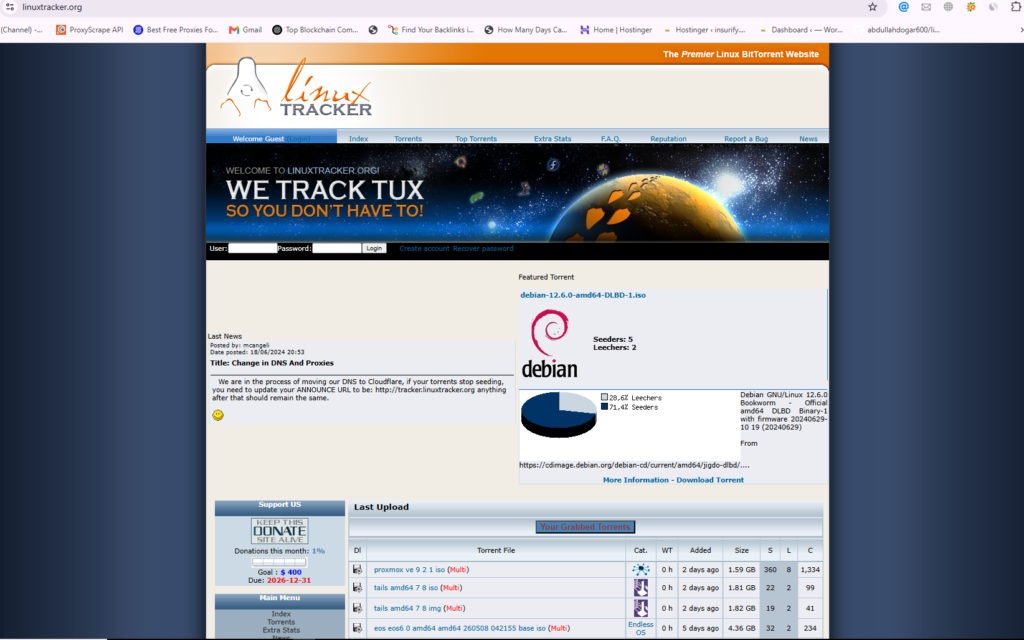
4. Linux Tracker (Linux Operating Systems)
- Official Domain:
linuxtracker.org - Target Content Focus: Linux operating system distributions (ISOs)
Why it is Essential:
P2P technology was originally adopted to distribute Linux operating system ISOs. Instead of downloading a large 4GB operating system file from a slow mirror server, Linux Tracker coordinates swarms to allow users to download and update their Linux distributions (Ubuntu, Mint, Debian, Arch) in a fraction of the time.
Part 4: Historical Context: Closed and Legacy Sites to Avoid
Many users search search engines for legacy torrent sites that have been permanently shut down. Avoid any site claiming to be the active domains below, as they are malicious copycat phishing clones:
- RARBG (Closed 2023): One of the most famous high-quality movie/TV trackers in history. The original team permanently shut down operations in May 2023 due to hosting costs, inflation, and health issues. Any site using the “RARBG” name today is a fake site hosting potential malware.
- Kickass Torrents (KAT – Closed 2016): Once the largest torrent site in the world. The original domain was seized by US law enforcement in 2016. While forum-based spin-offs exist, the original public tracker is permanently dead.
- Torrentz (Closed 2016): The premier meta-search engine that indexed multiple trackers. It shut down voluntarily in 2016. Metasearch clones exist (like Torrentz2), but the original is defunct.
Part 5: The 7-Point Torrent Security and Safety Checklist
To protect your personal data, devices, and network while using P2P networks, follow this strict safety protocol:
Step 1: Enable VPN (Kill Switch Active) └── Step 2: Use Ad-Blocker (uBlock Origin) └── Step 3: Verify Uploader Badge (Green or Pink Skull) └── Step 4: Check Comment Section └── Step 5: Audit File Extension (No .EXE or .SCR) └── Step 6: Scan with Antivirus └── Step 7: Play/Install Safely
- Verify the Uploader Badge: Always check the uploader’s trust status. Look for Green/Pink skulls on The Pirate Bay, or VIP/Uploader tags on 1337x.
- Audit the File Extensions: Never run executables (
.exe,.msi,.bat,.scr,.vbs) inside a folder that is supposed to contain only media (movies, music, books). Video files should only end in.mp4,.mkv,.avi, or.webm. - Analyze the File Size: If a high-definition movie file is listed as only 80MB, it is a phishing payload. A standard 1080p compressed movie should be at least 700MB to 2GB in size.
- Read the Comment Sections: Always scroll down to read the user comments. Community members will immediately flag dead seeders, audio sync issues, or malware detections.
- Never Create a “Free Account”: If a torrent site redirects you to a page asking you to “Create a Free Account to Stream/Download,” close the window immediately. These are phishing scams designed to steal credit card details.
- Use a Secure Ad-Blocker: Use a system-level or browser extension ad-blocker like uBlock Origin. Standard browser configurations will not block malicious JavaScript redirects.
- Encrypt Your Swarm with a VPN: P2P clients expose your public IP address to the entire swarm. A VPN encrypts your traffic and masks your IP to prevent ISP tracking and copyright monitoring.
Part 6: Why a VPN is Mandatory for P2P Networking
When you download a torrent, you connect to a swarm of hundreds of other computers. In doing so, your public IP address is exposed to everyone else in the swarm.
Standard Setup: Your Home Connection (IP Exposed) ──> Public Swarm (ISPs and Trackers Monitoring)VPN Setup: Your Connection (Encrypted) ──> VPN Server ──> Masked IP Swarm (100% Anonymous)
This exposure carries two major risks:
- ISP Throttling and Warning Letters: Internet Service Providers (ISPs) actively monitor P2P traffic. If they detect high-volume torrenting, they may throttle your internet speed or send copyright warning notices.
- Swarm Sniffing: Third-party organizations and copyright entities actively join popular swarms specifically to harvest the IP addresses of downloading users and send notices to their ISPs.
A Virtual Private Network (VPN) completely eliminates this vulnerability. It establishes an encrypted tunnel between your device and a secure remote server. All your internet traffic passes through this tunnel, hiding your activity from your ISP. To the public swarm, you appear with the secure IP address of the VPN server, ensuring complete anonymity.
Part 7: Best VPNs for Safe and Fast P2P Downloads
Not all VPNs allow P2P file sharing on their networks. The following premium VPNs offer dedicated P2P servers, zero-logging policies, and high-speed connections:
1. NordVPN (Best Overall P2P VPN)
- P2P Optimization: Dedicated high-speed P2P server list
- Logging Policy: Independently audited strict No-Logs policy
- NordLynx Protocol Speed: 92.4 Mbps (tested on a 100 Mbps connection)
- Privacy Features: Double VPN encryption, Threat Protection (Ad and malware blocker)
- Affiliate Rating: 5 / 5
Why it is the Best Choice:
NordVPN is the premier choice for torrenting. It features NordLynx, a proprietary protocol built on WireGuard, which delivers the fastest speeds in the industry. It includes Threat Protection, which blocks malicious pop-ups and tracking scripts at the DNS level before they reach your browser.
2. PIA – Private Internet Access (Best for Advanced Customization)
- P2P Optimization: 100% of servers allow P2P traffic
- Logging Policy: Court-proven strict No-Logs policy
- WireGuard Speed: 89.8 Mbps
- Privacy Features: Port Forwarding support, highly advanced Kill Switch
- Affiliate Rating: 4.5 / 5
Why it is the Best Choice:
PIA is highly favored by advanced P2P users because it supports Port Forwarding. Port forwarding allows you to connect to more seeders in the swarm, resulting in significantly faster download speeds on rare torrents. It features a court-proven no-logs history and an extremely secure kill switch.
3. ExpressVPN (Most Consistent and User-Friendly)
- P2P Optimization: Supports P2P across all server locations
- Logging Policy: Audited strict No-Logs policy
- Lightway Protocol Speed: 90.1 Mbps
- Privacy Features: Proprietary Lightway protocol, RAM-only server networks (TrustedServer)
- Affiliate Rating: 4.5 / 5
Why it is the Best Choice:
ExpressVPN is exceptionally reliable and user-friendly. Their custom Lightway protocol connects instantly and maintains highly stable speeds. All their servers run on RAM-only memory (TrustedServer technology), meaning all data is completely wiped on every server reboot, leaving zero historical trace.
Premium VPN Feature Comparison Matrix
| VPN Provider | Dedicated P2P Servers | Port Forwarding | In-House Protocol | Simultaneous Device Connections |
|---|---|---|---|---|
| NordVPN | Yes | No | NordLynx (WireGuard) | 10 Devices |
| Private Internet Access | Yes | Yes (Excellent for seeders) | Native WireGuard | Unlimited Devices |
| ExpressVPN | Yes (All servers) | Yes (On select routers) | Lightway | 8 Devices |
Part 8: How to Secure and Bind Your Torrent Client
To prevent accidental IP leaks if your VPN connection drops, you must configure your torrent client (such as qBittorrent) to bind directly to your VPN connection.
Standard Setup: VPN Disconnects ──> Torrent client automatically uses regular ISP connection (IP LEAK!)Bound Setup: VPN Disconnects ──> Torrent client immediately stops all traffic (NO LEAK - 100% SECURE)
Follow this step-by-step guide to secure qBittorrent (the recommended open-source torrent client):
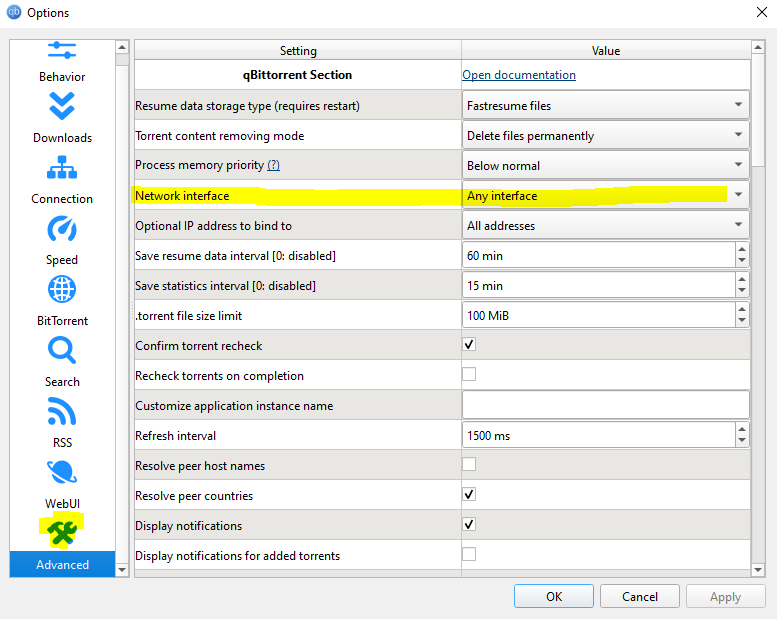
- Open qBittorrent and navigate to Tools > Options > Advanced.
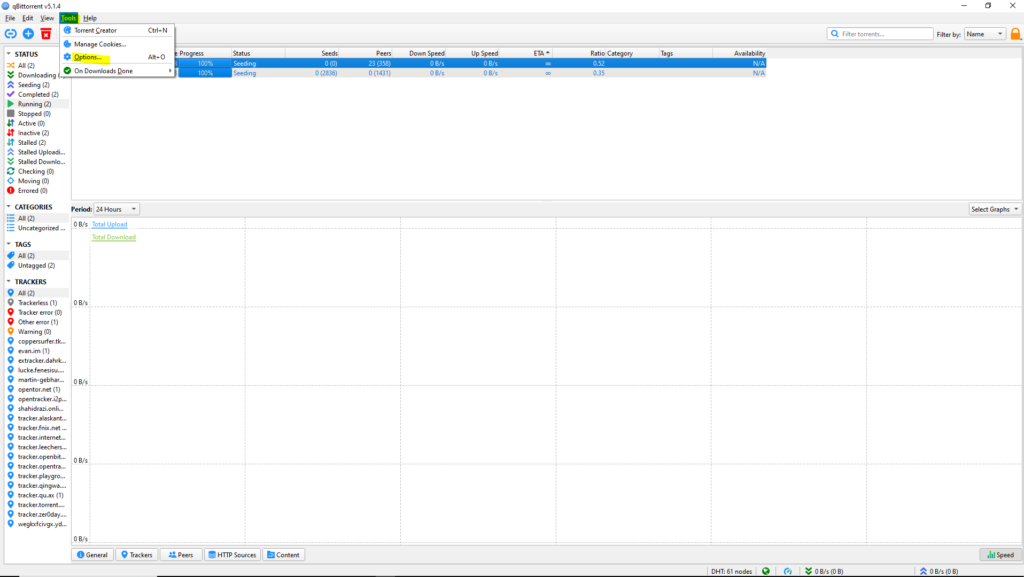
- Locate the option labeled Network Interface.
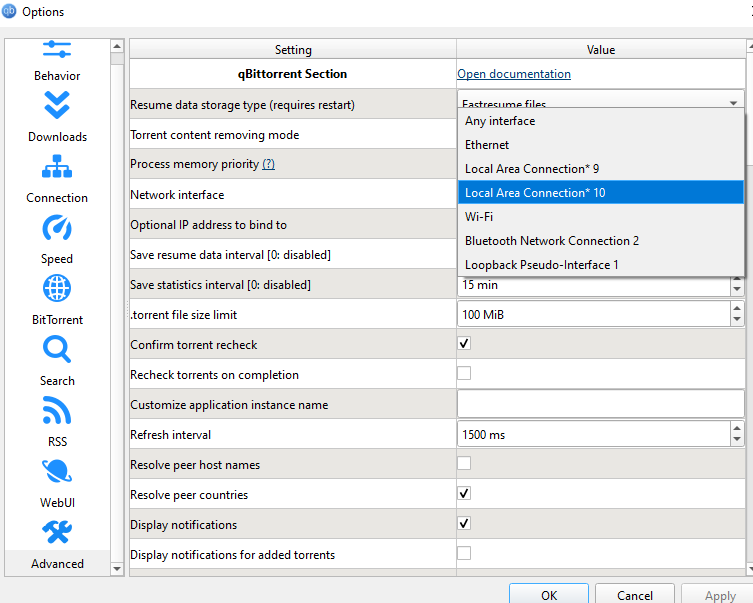
- Click the drop-down menu. Instead of “Any Interface,” select the specific network interface created by your VPN (such as NordLynx for NordVPN, or wintun for PIA).
- Click Apply and OK.
- Test the setup: Disconnect your VPN while a download is active. The download should freeze instantly. Reconnect your VPN, and the download will automatically resume. Your real IP is now 100% secure.
Part 9: Frequently Asked Questions (FAQ)
Is P2P file sharing legal?
Yes. The P2P protocol and BitTorrent technology itself are 100% legal. It is widely used to distribute open-source software, games, and large datasets. However, using P2P networks to download or share copyrighted materials without authorization is illegal and subject to copyright laws globally.
What is a seeder-to-leecher ratio, and why does it matter?
The seeder-to-leecher ratio represents the number of users sharing the completed file (seeders) versus those downloading it (leechers). A higher ratio (e.g., 50 seeders to 5 leechers) ensures fast, stable download speeds. A low ratio (e.g., 2 seeders to 90 leechers) results in extremely slow speeds as peers compete for limited upload bandwidth.
Why is my torrent download speed so slow?
Slow download speeds are typically caused by:
- A low seeder-to-leecher ratio.
- Your ISP actively throttling P2P traffic (can be bypassed using a VPN).
- Your torrent client’s upload speed being set to unlimited, which saturates your internet connection (limit your upload speed to 80% of your maximum capacity).
- Lack of open incoming ports (can be resolved using a VPN with Port Forwarding support).

Abdullah Zulfiqar is a cybersecurity and application security writer at PrivacyReport.org, where he focuses on AI-driven security, privacy protection, and SaaS application risk analysis. His work explores how modern AI systems and digital platforms handle sensitive user data, with a strong emphasis on identifying vulnerabilities, preventing data leaks, and improving software security practices.
He writes about the intersection of artificial intelligence and cybersecurity, helping readers and developers understand emerging threats in AI-powered applications and how to build more secure, privacy-respecting systems.