

If you’re a solo builder or small SaaS team, start with ZAP. It’s free, open source, and easy to automate in CI. Burp Suite is the better tool for hands-on manual testing, but its automated scanner only comes with the paid Professional edition, which costs around $499 per user per year at the time of writing.
Below is how they actually differ, when each makes sense, and how to run your first scan without breaking anything.
What are OWASP ZAP and Burp Suite?
Both are web application security testing tools. They sit between your browser and your app as an intercepting proxy, so you can see and modify every request. Both can also scan an app for common issues like missing security headers, cross-site scripting (XSS) and injection flaws.
ZAP (Zed Attack Proxy) started as an OWASP project. In September 2023 the ZAP team left OWASP to secure funding, and it’s now called “ZAP by Checkmarx.” It’s still free and open source, maintained by the ZAP core team with Checkmarx backing. Most people still search for it as “OWASP ZAP,” so you’ll see both names.
Burp Suite is made by PortSwigger. It comes in a free Community Edition, a paid Professional edition for individual testers, and separate enterprise/DAST products for automated scanning at scale.
OWASP ZAP vs Burp Suite at a glance
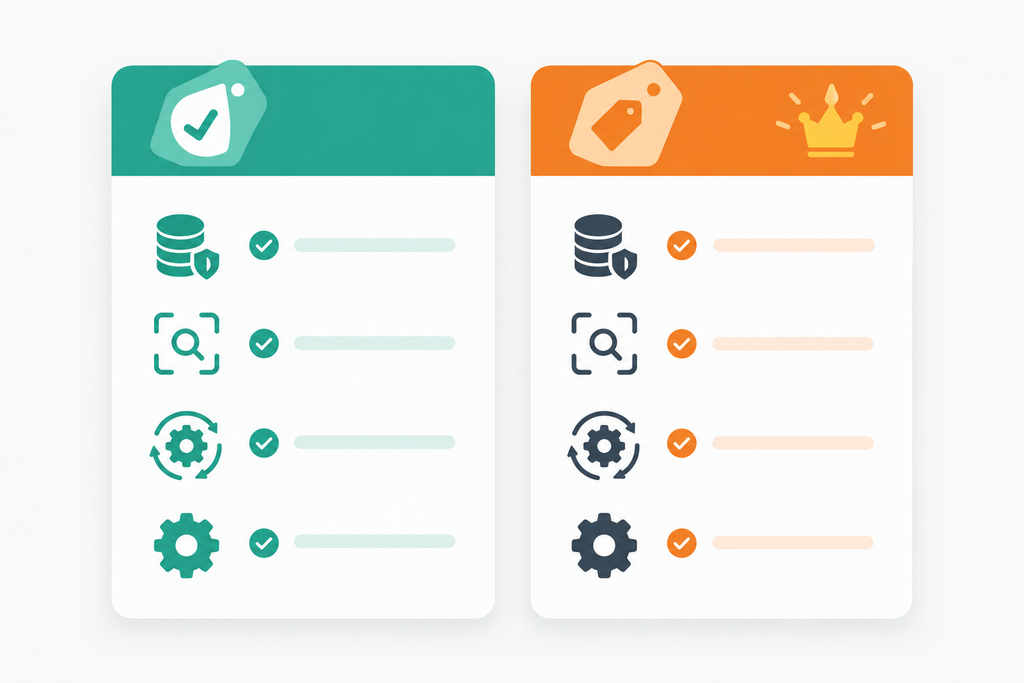
| ZAP | Burp Suite Community | Burp Suite Professional | |
|---|---|---|---|
| Price | Free | Free | ~$499/user/year (check PortSwigger for current pricing) |
| Open source | Yes | No | No |
| Automated active scanner | Yes | No | Yes |
| Intercepting proxy | Yes | Yes | Yes |
| Fuzzing / brute-force | Yes (Fuzzer) | Intruder, rate-limited | Intruder, full speed |
| Save projects to disk | Yes | Temporary projects only | Yes |
| CI/CD automation | Docker images, GitHub Actions, Automation Framework | Not really | Possible, but Burp’s DAST product is built for this |
| Learning curve | Moderate | Moderate | Moderate to steep |
The short version: ZAP gives you the most for free. Burp Community is great for learning how requests work, but it’s not a scanner. Burp Pro is what most professional pentesters live in.
Which is easier for non-security people?
Honestly, neither is “easy.” Both assume you know what an HTTP request is.
ZAP has a “Quick Start” tab where you paste a URL and hit Attack. That gets you a list of alerts in a few minutes. The catch is that the alerts need interpreting. Plenty of them are low-risk informational notes, and some are false positives.
Burp has a slicker interface and better tooling for manually poking at requests (Repeater is excellent). But in Community Edition, there’s no automated scan button, so you have to know what you’re looking for.
If you just want to know “is my app leaking something obvious?”, ZAP’s automated scan is the faster path.
Automation: where ZAP pulls ahead for small teams
For vibe-coded apps, automation matters more than a fancy UI. You ship often, the AI rewrites files you didn’t touch, and a regression can slip in on any deploy.
ZAP ships official Docker images with ready-made scan scripts. The baseline scan is passive: it spiders your site and reports issues without sending attack payloads, so it’s safe to run against apps you own.
docker run -t ghcr.io/zaproxy/zaproxy:stable zap-baseline.py \
-t https://staging.yourapp.com
You can also run it on every pull request with the official GitHub Action:
# .github/workflows/zap.yml
name: ZAP baseline scan
on: [pull_request]
jobs:
zap:
runs-on: ubuntu-latest
steps:
– name: ZAP baseline scan
uses: zaproxy/action-baseline@v0.14.0
with:
target: “https://staging.yourapp.com”
Check the action’s README for the latest version tag before you copy this.
There are also zap-full-scan.py (active scan, sends attack payloads) and zap-api-scan.py (scans from an OpenAPI or GraphQL definition). Only run active scans against apps you own, ideally on staging.
Burp Pro can be scripted with extensions, but if CI scanning is your main goal, PortSwigger points you at its separate DAST product, which is priced for companies, not indie hackers.
Example: fixing what a scan typically finds
The most common findings on AI-built apps are missing security headers. A ZAP baseline scan will flag things like “Content Security Policy (CSP) Header Not Set” and “Missing Anti-clickjacking Header.”
Here’s a typical Next.js config generated by an AI tool. It works, but it sends no security headers:
// next.config.js (bad: no security headers)
module.exports = {
reactStrictMode: true,
};
Fixed version:
// next.config.js (fixed)
const securityHeaders = [
{ key: “X-Frame-Options”, value: “DENY” },
{ key: “X-Content-Type-Options”, value: “nosniff” },
{ key: “Referrer-Policy”, value: “strict-origin-when-cross-origin” },
{ key: “Strict-Transport-Security”, value: “max-age=63072000; includeSubDomains; preload” },
{ key: “Permissions-Policy”, value: “camera=(), microphone=(), geolocation=()” },
// Start CSP in report-only mode so you don’t break your app
{ key: “Content-Security-Policy-Report-Only”, value: “default-src ‘self'” },
];
module.exports = {
reactStrictMode: true,
async headers() {
return [{ source: “/(.*)”, headers: securityHeaders }];
},
};
Run the scan again and those alerts should drop off. Tighten the CSP and switch it from report-only to enforced once you’ve confirmed nothing breaks.
Headers are just one layer. Neither ZAP nor Burp will tell you that your Supabase tables have no Row Level Security, or that a service key ended up in your frontend bundle. Those are app-logic and config issues that need a different kind of check. That’s the gap PrivacyReport is built for: run a free scan on your app to catch exposed keys, missing RLS and leaky endpoints alongside what ZAP finds.
Penetration testing vs vulnerability scanning
This trips a lot of people up, so it’s worth being clear.
A vulnerability scan is automated. A tool like ZAP crawls your app and checks it against known patterns. It’s fast, cheap and repeatable, but it misses business-logic bugs.
Penetration testing is a human (sometimes helped by tools like Burp) trying to actually break your app: accessing another user’s data, skipping a payment step, abusing your API. It finds the bugs scanners can’t, but it takes time and expertise.
For most early-stage products, the realistic setup is automated scanning on every deploy, plus a manual review (or a paid pentest) before a big launch or a SOC 2 audit.
Common mistakes when using these tools
Scanning sites you don’t own. Active scans send attack payloads. Running them against someone else’s site without permission can be illegal. Stick to your own apps.
Running an active scan against production. Active scans can create junk records, trigger emails, or fill your database with test data. Use staging.
Treating “no high alerts” as “secure.” Scanners don’t understand your auth logic. If user A can read user B’s data through your API, a scanner will usually miss it.
Only scanning the homepage. Many vibe-coded apps hide most functionality behind login. Configure authenticated scanning, or you’re only testing the landing page.
Trusting AI-generated fixes blindly. If you paste a scan alert into Cursor or Claude Code and ask for a fix, check the result. AI tools often add a CSP so strict it breaks the app, or “fix” CORS by allowing every origin (Access-Control-Allow-Origin: *), which makes things worse.
Quick checklist
Pick ZAP if you want free automated scanning; Burp Community if you want to learn manual testing
Run a ZAP baseline scan against your staging URL
Fix missing security headers first (fastest wins)
Add the ZAP baseline GitHub Action to your pull requests
Set up authenticated scanning for pages behind login
Only run active scans on staging, never on sites you don’t own
Separately check Supabase/Firebase rules and exposed API keys
Get a manual review before a major launch or compliance audit
So which should you pick?
Choose ZAP if you’re a solo builder or small team, want free automated scanning, and care about running checks in CI.
Choose Burp Suite Community if you want to learn how attacks work by manually inspecting and replaying requests.
Choose Burp Suite Professional if you’re doing serious manual testing regularly, or you’ve hired someone who already knows it. It’s the industry favorite for a reason, but most indie hackers won’t get $499 a year of value from it.
Plenty of people use both: ZAP for automated scanning, Burp Community for manual digging.
FAQ
Is OWASP ZAP really free?
Yes. ZAP is free and open source, including the automated scanner and the Docker images. There’s no paid tier for the core tool.
Is Burp Suite better than ZAP?
For manual penetration testing, most professionals prefer Burp Suite Professional. For free automated scanning and CI/CD use, ZAP is usually the better fit. “Better” depends on whether you’re testing by hand or automating.
Does Burp Suite Community Edition have a scanner?
No. The automated vulnerability scanner is only in Burp Suite Professional and PortSwigger’s paid DAST products. Community Edition gives you the proxy, Repeater and a rate-limited Intruder.
Is ZAP still an OWASP project?
Not anymore. The ZAP team left OWASP in September 2023 and the tool is now known as ZAP by Checkmarx. It remains free and open source.
What’s the best free penetration testing software for beginners?
ZAP is the most practical starting point because its automated scan gives you results without deep security knowledge. Pair it with Burp Community once you want to understand individual requests in more detail.

Abdullah Zulfiqar is a cybersecurity and application security writer at PrivacyReport.org, where he focuses on AI-driven security, privacy protection, and SaaS application risk analysis. His work explores how modern AI systems and digital platforms handle sensitive user data, with a strong emphasis on identifying vulnerabilities, preventing data leaks, and improving software security practices.
He writes about the intersection of artificial intelligence and cybersecurity, helping readers and developers understand emerging threats in AI-powered applications and how to build more secure, privacy-respecting systems.