
A vibe-coded app can work perfectly and still be open. That is the whole problem: an AI builder will happily ship a working sign-in page, a working dashboard, and a database that answers anyone who asks. Nothing breaks, so nothing warns you. A free security scanner is the fastest way to find out whether that is true of your app — but only if you pick the right kind of scan, and only if you know what a clean result does not prove.
The 60-second check in this article is a first pass, not a full audit. Paste your deployed app’s link into a URL scanner, read the worst findings first, and write down what needs fixing. Then use the second half of this article to close the gaps that kind of scan cannot see. Only scan apps you own or have permission to test.
Start with the right question
“Is my app secure?” is too broad for any one free tool. Ask instead: what could be open right now? For vibe-coded apps, the short list is consistent:
- A secret key shipped inside the JavaScript every visitor downloads.
- A database table that answers without sign-in, or answers any signed-in user for every row.
- A file that should never be public, such as an exposed
.envfile or an open.gitfolder. - A storage bucket anyone can list or download from.
- An admin page or API route with no sign-in check.
Different scanners see different items on that list. That is why comparing tools by price alone is misleading. A free tool can be excellent at one layer and blind at another, and the blind layer is usually where the serious finding hides.
The map: which scanner sees which failure
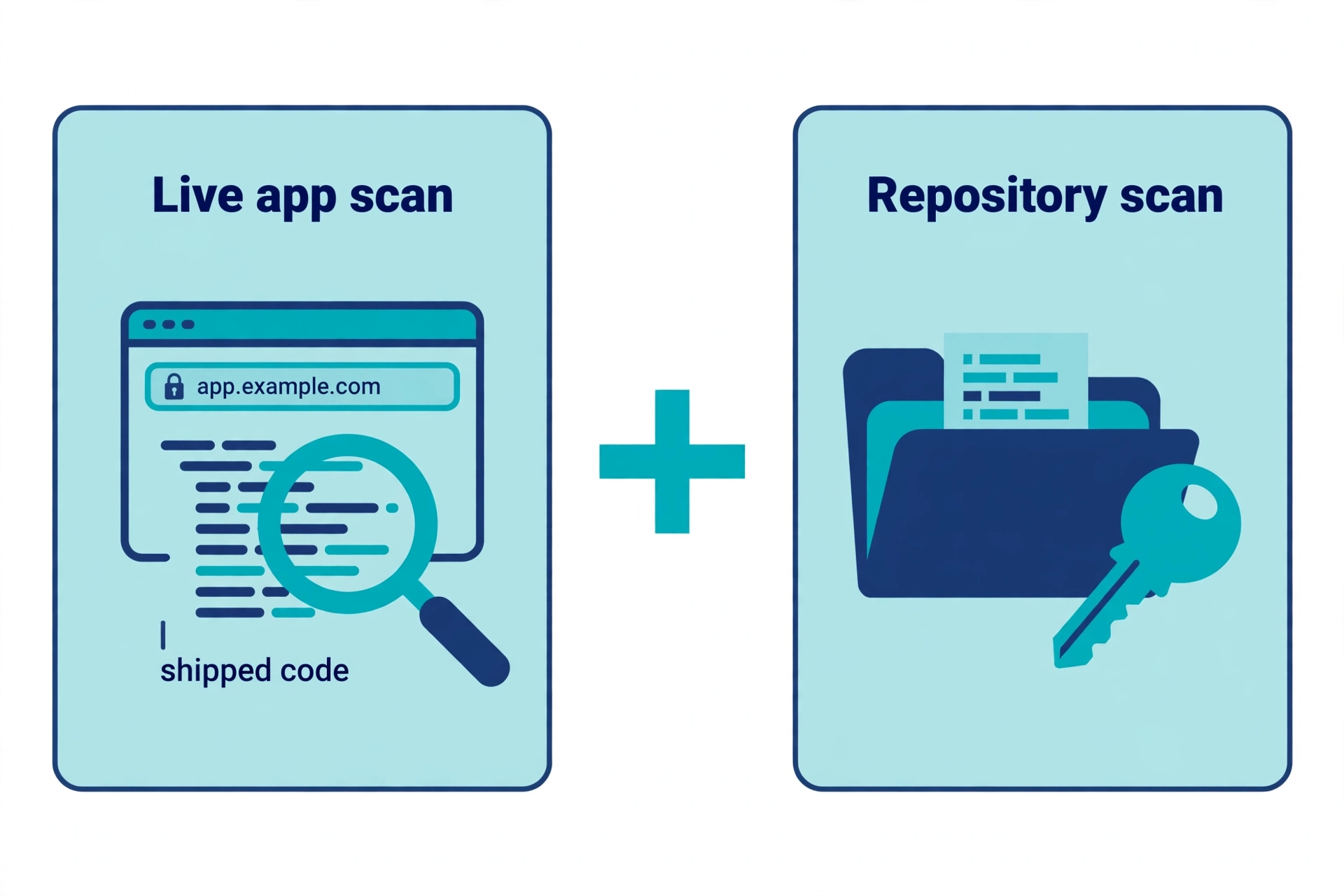
A live URL scan looks at the app the way a visitor does: the page, the JavaScript it loads, the headers it sends, and the files it serves. This is the right first scan for a vibe-coded app, because so many vibe-coded failures live in what was shipped, not in what was intended. It can spot a secret key in a bundle, an exposed .env file, missing security headers, and a table that answers anonymously. It cannot see your source code, your git history, or anything behind sign-in.
A repository secret scan looks at committed code and history. Tools in this group find keys that were pasted into code and committed, including keys that were later deleted from the current files but remain in git history. Deleting a key from the current code does not remove it from history, which is why this scan matters even after a live scan comes back clean.
A database advisor looks inside the project itself. Supabase’s Security Advisor, for example, runs fixed checks on the database and flags problems such as tables with Row Level Security (RLS) disabled in an exposed schema. Supabase notes that some findings may be intentional, so each one still needs checking against what the data is for. What this kind of check cannot do is read your live site, so it will never find a key that leaked into your shipped JavaScript.
A general web scanner such as OWASP ZAP probes a running app for broader web weaknesses, including injection flaws and header problems. It is free and open source, and it is a serious tool — but it is software to install and learn, not a paste-a-link check, and it does not know whether your database policy matches the ownership model your app intends.
The practical rule is simple: run the live URL scan first, because it answers the most urgent question fastest. Then add the repo scan and the database check before you call the app safe.
Free options worth trying, and what each one leaves out
VibeEval’s Vibe Code Scanner runs a free surface scan from a deployed URL in about two minutes, covering exposed keys, missing authentication, open databases, open storage and related checks. Its deeper checks — including full cross-user testing — sit in a paid deep scan, so the free pass is a surface pass, not a proof that your authorisation logic is correct.
TheVibeSecurity offers a first surface scan free, with a free plan covering one site and four scans a month, and gives a fix prompt for each finding. Its deeper database and route checks require verifying that you own the site. Note that every scan also scores search-engine and answer-engine visibility, so if you only want a security verdict, ignore the extra scores.
VibeProtect checks both the live app and the connected code, and hands over a fix prompt written for the builder that made the app. It insists on ownership verification before the first scan, which is good practice, but its entry point is a seven-day free trial rather than a free-forever scan, with paid plans from $12 a month on its pricing page.
SafeWeave lets you scan a public GitHub repository free with no signup, and a free account gives a grade, finding counts and a URL score with the first findings. The live-app checks for open tables, storage, keys and AI routes, and the Supabase connection, are on its paid Cloud plans, so the free tier is a starting point, not the full live check.
Gitleaks is a free, open-source secret scanner for git repositories and directories. It is fast and it works offline against your own code, but it cannot see the deployed app at all. Its own project page states that it is feature-complete and that future releases will be security patches only, so treat it as a stable, narrow tool rather than a growing platform.
TruffleHog is a free, open-source scanner that classifies hundreds of secret types and can check whether a found credential is still live. That verification step is genuinely useful: it separates a real, still-working key from an old or example value. It is a command-line tool, so it suits readers comfortable with a terminal better than readers who want a pasted link and a report.
Supabase Security Advisor is built into Supabase and costs nothing extra if you already use Supabase. Run it from the dashboard or with supabase db advisors, and read every finding before dismissing it. It answers the database half of the question only.
No single free tool on this list covers everything. The honest comparison is not “which scanner is best” but “which combination covers the layers your app actually has”. For most vibe-coded apps, that combination is: a URL scan, a repo secret scan, and the platform’s own database advisor.
The 60-second routine
Use this order. It is designed so the worst finding surfaces first, even on a free plan with limited scans:
- Scan the production URL, not localhost and not a preview link. Headers, environment variables and database grants can all differ between environments. If a preview deployment shares production data or keys, scan that too — and ideally stop it sharing them.
- Read Critical and High findings first. A secret key in shipped code and an anonymously readable table outrank missing headers every time.
- Check the shipped JavaScript yourself for the two worst keys. In your own app’s code, look for a Supabase
service_rolekey or asb_secret_key, and for any AI, payment or cloud key that should only ever live on a server. A publishable or anon key in the browser is normal by design; a secret key there is not, and it bypasses database rules entirely. - Note every finding before you fix anything. A scan is also a record. If a fix later breaks a feature, you want to know what changed.
- Fix, then rotate, then rescan. This order matters and is covered below.
If the scan finds nothing, do not stop here. Read the next section before concluding anything.
What a clean scan does not prove
A clean result from a free URL scan is good news with strict limits. It does not prove any of the following:
- Signed-in-only routes are safe. An anonymous scan never logs in, so it cannot test what user A can do to user B’s data. A policy that admits anyone who is signed in — rather than only the owner of the row — passes an anonymous scan and still leaks.
- Your policies match your intent. A scanner can tell that a table answers; it cannot tell whether that table was supposed to be public. A blog-posts table answering anonymously may be fine. A users table doing the same is not.
- Preview and staging copies are safe. A clean production scan says nothing about a preview URL that shares the same database or keys.
- History is clean. A key removed from current code can still sit in git history, in a fork, or in a cached bundle. Only a history scan answers that question.
- The next AI change is safe. A new table, a regenerated migration or a new integration can reopen a table or reintroduce a key. Rescan after every AI-driven schema or deployment change, not just at launch.
This is the most common way a free scan misleads: it answers “nothing obviously open to a stranger” and gets read as “secure”. Treat a clean scan as permission to do the next check, not as a verdict.
Fix, rotate, rescan
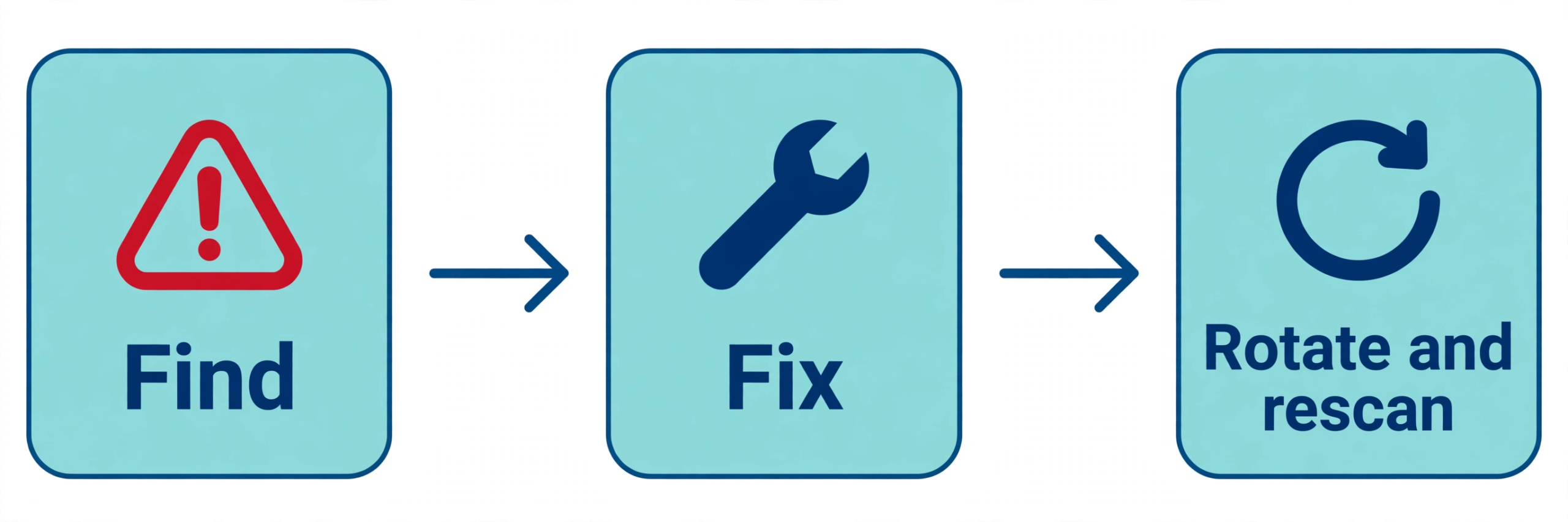
When a scan finds a problem, work in this order:
- Fix the cause, not just the symptom. Move a secret key to server code and environment variables, tighten the database policy to the row owner, or close the bucket — depending on the finding. A fix that only hides a page in the interface, while the underlying API still answers, is not a fix.
- Rotate any secret that was exposed. If a key appeared in shipped code or a public repository, assume it may have been copied. Delete it from the code, then revoke it with its provider and issue a new one. Rescanning without rotating only confirms the code no longer shows the key; the old key may still work.
- Rescan the same URL and the same environment. Confirm the finding is gone and that no new Critical or High finding appeared. For a database fix, also re-run the platform advisor; for a key fix, also re-run the repo history scan.
- Keep the fix in the same change as the schema or code it protects. If an AI tool regenerates a migration, the protection should regenerate with it, or the next prompt can quietly drop it.
If you are unsure which finding to fix first, use this order: a secret key in client code (rotate it), then any table with RLS off, then broad policies on private tables. A leaked secret key bypasses every other fix on the list, so it outranks all of them.
Where PrivacyReport fits
If you would rather start with a single paste-a-link check written for non-technical builders, PrivacyReport’s homepage describes a scan that takes a GitHub repo URL or a deployed app URL and returns a simple privacy and security report, checking for exposed keys and more than 20 other issues, with a free tier of one to two scans a month. Treat that free tier the same way as any other in this article: a useful first pass, limited in depth, to be followed by the repo and database checks above before you rely on the result.
Frequently asked questions
Is a free scanner enough for an app with real users?
It is enough for a first pass, not for a complete review. Use it to catch the obvious, urgent exposures, then add the repo scan, the database advisor, and a manual two-account test — signed in as user A, then as user B — for any table holding private data.
Why do some scanners ask me to prove I own the app?
Because a scanner that accepts any URL can be pointed at someone else’s app. Ownership checks slow down misuse, and they also unlock deeper checks that an anonymous scan cannot safely run. Do not use any scanner, free or paid, against an app you do not own or have permission to test.
Should I scan before or after launch?
Both. Scan before launch to catch the worst exposures, and rescan after every deployment that touches the schema, authentication or integrations. A scan is a snapshot of one deployment, not a permanent property of the app.
What if two scanners disagree?
Trust the more specific finding, then verify it yourself. If one scanner flags a key and another does not, check your own shipped code and your repo history. Scanners differ in which key formats they recognise and which environments they can see, so disagreement is a reason to look closer, not to pick the answer you prefer.
Does a scanner replace the Supabase security checklist?
No. A scanner finds symptoms; the checklist covers the settings and policies behind them, including grants, per-operation policies and sign-in settings. Use the scanner to find where to start, and the checklist to make sure the fix is complete.
Sources
- VibeEval, Vibe Code Scanner
- TheVibeSecurity, Free Vulnerability Scanner for AI-Built Apps
- VibeProtect, Security scanner for AI-built apps
- SafeWeave, Vibe Coding Security Scanner
- OWASP ZAP
- Gitleaks
- TruffleHog
- Supabase, Advisors
Related reading on PrivacyReport
- Supabase Security Checklist for Vibe-Coded Apps (2026)
- Is it safe to expose your Supabase anon key? (Only if RLS is on)
- Supabase “RLS Disabled in Public” warning: what it means and how to fix it
- What to do if an API key is exposed
- How to scan for secrets in VS Code
- What is a secret scanner?
- What is vibe-coding security?
