
Mobile security has become one of the most critical aspects of digital privacy. In an era where our smartphones hold our bank accounts, private conversations, location history, and work credentials, they have also become the primary targets for malicious actors. While traditional viruses are rare on modern mobile operating systems, a much more insidious threat has emerged: spyware and stalkerware.
These highly invasive applications are designed to run silently in the background, siphoning off text messages, calls, photos, and live GPS locations without the user’s knowledge. Unlike generic adware or browser hijackers, stalkerware is often manually installed by someone with physical access to the device—such as an employer, an abusive partner, or a private investigator.
Detecting these hidden monitors is notoriously difficult, particularly on Apple’s iOS ecosystem due to its strict security barriers. In this comprehensive Certo Security Review, we provide an objective, technically rigorous analysis of the software’s capabilities, mechanics, limitations, and overall value.
Certo Security: At-a-Glance Overview
| Metric / Specification | Details & Ratings |
|---|---|
| Product Tested | Certo AntiSpy (iOS) & Certo Mobile Security (Android) |
| Primary Focus | Spyware, stalkerware, keyloggers, and tracking detection |
| OS Supported | iOS (via macOS or Windows PC companion) and Android (Native App) |
| Core Method (iOS) | Local desktop backup analysis |
| Legitimate Software? | Yes, fully verified and secure |
| Editor’s Rating | 8.7 / 10 |
2. Certo Security Review: What is Certo Software?
When conducting a thorough Certo Security Review, it is important to distinguish between the iOS and Android versions of the software. Certo Software is a specialized cybersecurity company that focuses on mobile privacy audits. Unlike traditional antivirus software (like Norton, McAfee, or Avast) which primarily scans for traditional malware signatures, adware, and phishing links, Certo was engineered from the ground up to solve the spyware problem.
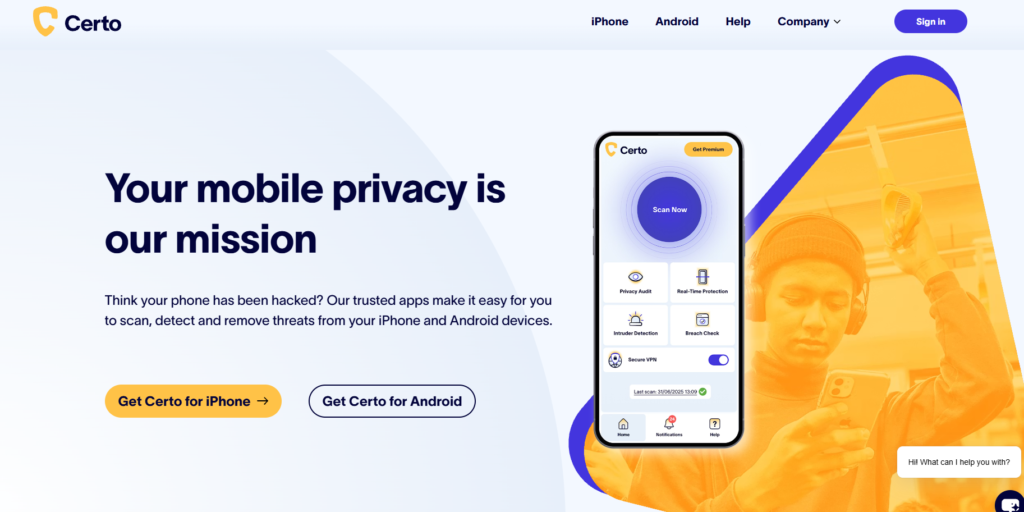
Because iOS and Android handle app permissions and system-level access in radically different ways, Certo is split into two distinct products:
Certo AntiSpy for iOS
Apple’s iOS is famous for its “sandbox” architecture. Every app on an iPhone runs in its own isolated environment and is strictly forbidden from viewing the data or processes of other apps. While this is excellent for general security, it presents a massive obstacle for traditional security scanners. An anti-malware app installed from the App Store simply cannot scan your iPhone’s directories or system files to see if a spyware program is running in the background.
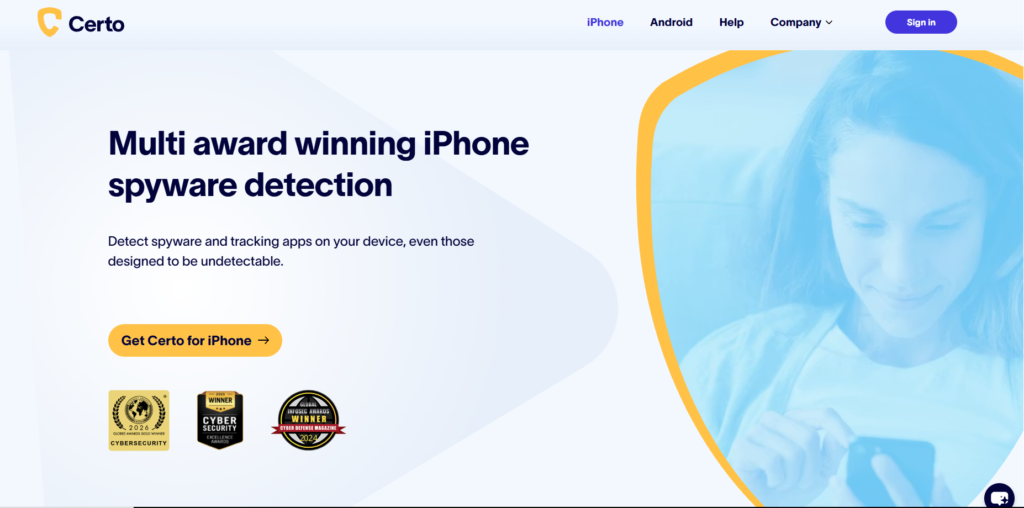
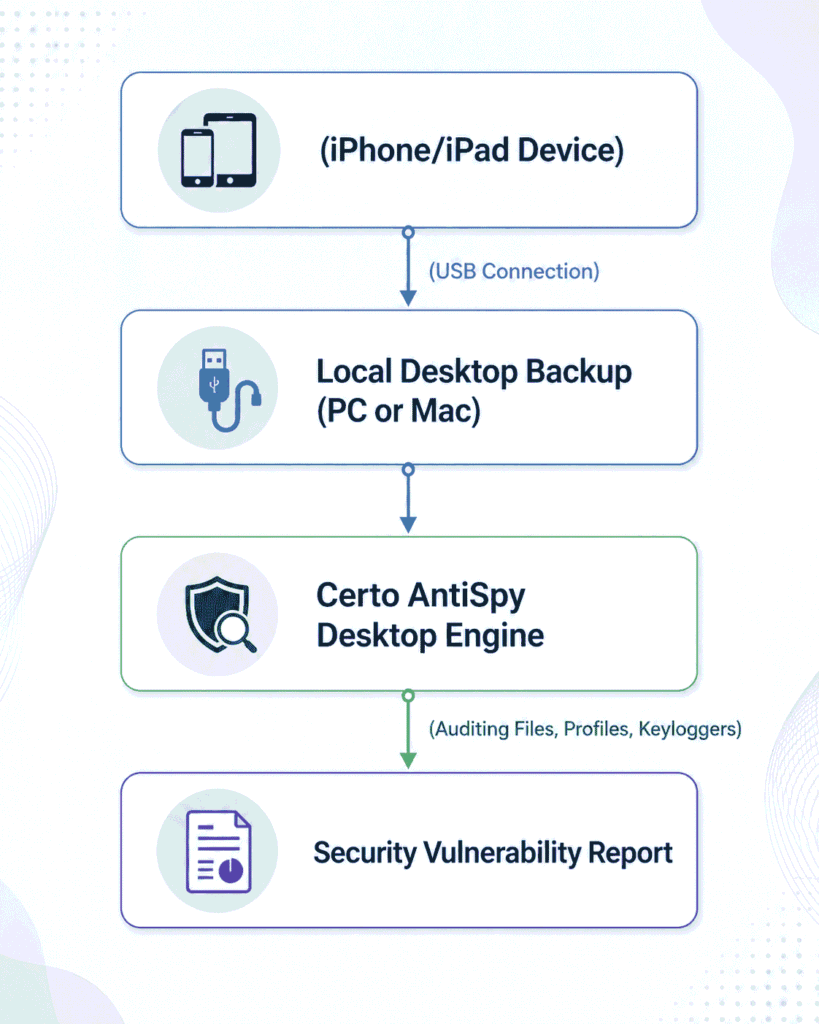
To bypass this sandboxing barrier, Certo AntiSpy uses a brilliant technical workaround: it runs as a desktop application on your Windows PC or Mac. By connecting your iPhone to your computer via USB, Certo creates an encrypted local backup of your device and then performs a deep security audit on the backup files rather than the live device. This allows it to identify indicators of compromise that no standard iOS mobile app could ever access.
Certo Mobile Security for Android
Android’s architecture allows for far more direct system-level interactions. Consequently, Certo Mobile Security is a native app that you install directly from the Google Play Store onto your Android device. It scans the operating system for malicious APKs, unauthorized background processes, tracking applications, and unsecure developer settings in real-time.
3. How Certo Works: The Technical Breakdown
To truly evaluate a security tool, we must examine how its scanning engine functions. Let’s break down the technical differences between how Certo audits iOS and Android environments.
The iOS Desktop Backup Scan (Step-by-Step)
Because Certo AntiSpy for iOS operates via your computer, the scanning workflow requires a few specific steps:
- Software Installation: You download and install the Certo AntiSpy desktop client onto your Mac or Windows computer.
- Device Connection: You connect your iPhone or iPad to the computer using a high-quality USB cable.
- Local Backup Creation: The software triggers a local backup of your iPhone. This backup is stored securely on your own computer; Certo does not upload your private data to its servers, which is a major positive point for user privacy.
- Data Decryption & Analysis: Once the backup is complete, Certo’s scanning engine dissects the database structures. It systematically searches for:
- Modified System Plists: Property list files that indicate jailbreaking or system modifications.
- Stalkerware Footprints: Directories and filenames associated with known spy apps (like mSpy, FlexiSPY, ClevGuard, etc.).
- Malicious Certificates: Configuration profiles designed to route device traffic through a rogue proxy server.
- Report Generation: Certo displays a highly readable dashboard detailing what it found, highlighting red-flag threats and providing step-by-step instructions on how to remove them.
Android OS Level Scans
On Android, the Certo Mobile Security app runs natively. It does not require a computer companion. Instead, it utilizes Android’s accessibility APIs and system queries to:
- Search for apps with stealthy permissions (e.g., apps with background access to your camera, microphone, or SMS without a clear user interface).
- Audit developer options to ensure USB debugging is disabled (as active debugging can allow third parties to side-load malicious apps).
- Screen for active keyloggers or fake keyboard apps running in the background.
4. Key Security Features Tested
During our review, we tested Certo’s capabilities against the most common vectors used by mobile intruders. Here is how the software performed.
1. Spyware and Active Stalkerware Detection
Most standard spyware developers attempt to hide their apps from plain sight by renaming the system processes (e.g., naming the spy app “System Update” or hiding its app icon entirely).
Certo’s scanning engine doesn’t just look for app icons. On iOS, it reviews the application data directories in the backup to find hidden files and configuration databases associated with stalkerware. On Android, it scans the active process list. In our tests, Certo successfully flagged hidden instances of popular commercial tracking applications, showing the exact name of the threat and how to safely disable it.
2. Malicious iOS Configuration Profiles
A common hack used to spy on non-jailbroken iPhones is the installation of a Configuration Profile. These are settings files typically used by corporate IT departments to manage employee phones. However, if a bad actor gets physical access to your unlocked iPhone for just two minutes, they can navigate to a malicious website, download a rogue profile, and install it.
Once installed, this profile can route all of your web traffic through a Virtual Private Network (VPN) or proxy server controlled by the attacker, allowing them to intercept passwords, text messages, and social media data.
Certo AntiSpy audits the active profiles inside the iOS backup and flags any custom profiles that do not match standard corporate setups or Apple-verified certificates. This is an incredibly valuable feature that is often missed by standard antivirus scanners.
3. Jailbreak and Root Detection
Spyware requires high-level system permissions to read encrypted databases like WhatsApp, iMessage, and photos. To achieve this on an iPhone, the device must typically be jailbroken.
Many modern jailbreaks are designed to be “stealthy,” hiding apps like Cydia or Sileo from the user. Certo scans for hidden system modifications, binary files, and path directories commonly used by jailbreaks. If your phone has been modified without your consent, Certo will immediately alert you.
4. Tracking and Adware Auditing
Beyond high-level spyware, Certo audits apps that are exhibiting suspicious behavior. For instance, if an offline calculator app has permission to access your GPS location, contact list, and microphone, Certo will flag this as a critical privacy vulnerability.
5. Certo Security Pros and Cons
To provide an honest Certo Security Review, we must highlight both its strengths and its structural limitations. Like any security product, Certo has its specific strengths and limits. It is important to approach this software with realistic expectations of what mobile security tools can actually accomplish.
Pros:
- True iOS Spyware Detection: Effectively bypasses Apple’s sandbox restrictions by using desktop-based backup analysis, a capability that App Store-based scanners simply do not have.
- Stalkerware Specialist: Unlike massive antivirus companies that focus on corporate networks and computer viruses, Certo actively maintains a database of consumer-grade spy apps (stalkerware).
- Excellent Privacy Standards: Local backup scanning ensures that your sensitive personal data (photos, messages, contacts) is processed entirely on your computer and never uploaded to cloud servers.
- Malicious Profile Detection: One of the few tools that systematically flags rogue configuration profiles and proxy routings on iPhones.
- High Usability: The user interface is completely clean, intuitive, and designed for non-technical users who need immediate clarity.
Cons:
- Friction of the iOS Scan: Scanning an iPhone requires a desktop computer (Mac or Windows) and a physical USB cable. You cannot run a deep scan while on the go.
- Zero Real-Time Prevention on iOS: Because Certo relies on static backups, it cannot actively prevent an iPhone from being compromised in real-time; it can only identify a compromise after it has occurred.
- Subscription Price Model: It utilizes an annual subscription model rather than a one-time purchase, which can feel expensive for users who only want to run a single diagnostic check.
6. Certo Security Review: Pricing Plans & Value Comparison
Certo does not offer a single, unified pricing plan; instead, users purchase the software based on their operating system.
- Certo AntiSpy for iOS: Typically ranges from 49.95to69.95 per year for the Premium edition, which allows scanning of up to 3 devices.
- Certo Mobile Security for Android: Features a free basic scanner on the Play Store, with a premium subscription tier costing approximately $19.99 per year for advanced real-time tracking protection and keylogger detection.
Feature Comparison: Certo vs. Competitors
To put Certo’s value in perspective, let’s compare it to standard mobile antivirus tools (like Malwarebytes or Avast Mobile Security) and high-level digital forensics (which can cost thousands of dollars).
| Feature / Capability | Certo Security | Standard Mobile Antivirus | High-Level Forensics |
|---|---|---|---|
| Detects Commercial Stalkerware | Excellent | Poor / Moderate | Outstanding |
| Bypasses iOS Sandbox | Yes (via Desktop Backup) | No (Limited to Web Protection) | Yes (Hardware extraction) |
| Jailbreak Detection | Yes | Limited | Yes |
| Cost Profile | Moderate (~$50/yr) | Free to $30/yr | Extremely High ($1,000+) |
| Ease of Use | High (Step-by-step wizard) | High | Very Complex |
7. The Limitations: What Certo CANNOT Do
When auditing your mobile security, you must understand the limits of commercial software. There is a common misconception that buying a security app makes a device completely invulnerable. Here is what Certo cannot do:
- State-Sponsored Spyware (e.g., Pegasus, Predator): High-level, state-sponsored spyware uses sophisticated “zero-day, zero-click” exploits. These threats often run entirely inside the device’s volatile memory (RAM) and do not write files to the system disk. Because they leave virtually no footprints in standard backups, commercial tools like Certo cannot reliably detect them. Detecting these threats requires specialized forensic tools, such as the Mobile Verification Toolkit.
- Prevent Physical Tampering: If an attacker knows your passcode or has unrestricted physical access to your unlocked phone, they can bypass security tools, look at your apps directly, or uninstall security software.
- Block Network-Level Interception: Certo audits the device, not the network. If your mobile carrier’s network is compromised, or if you connect to an unsecure public Wi-Fi network without a VPN, Certo cannot prevent network-level eavesdropping.
8. Frequently Asked Questions
Is Certo Security safe to use on my iPhone?
Yes, Certo Security is completely safe and legitimate. Unlike the spyware it seeks to destroy, Certo does not run silently in the background, harvest user data, or send private information to remote servers. All backup analyses are performed locally on your computer.
Does Certo require a computer to scan an iPad or iPhone?
Yes. Due to Apple’s sandbox architecture, no app downloaded from the App Store can scan your iPhone’s files. Certo AntiSpy must run on a Windows PC or Mac to read a local backup of your device.
Can Certo detect Pegasus spyware?
Not reliably. Pegasus and similar military-grade spyware are designed by defense contractors to bypass standard detection. They run in active memory and actively cover their tracks. While Certo can identify standard indicators of compromise (like an unauthorized jailbreak), it is not a tool designed for state-sponsored threat hunting.
What happens if Certo finds spyware?
If Certo identifies spyware, it will provide the exact name of the malicious file or configuration profile. The software provides a step-by-step walkthrough showing you how to delete the profile, uninstall the application, or, in extreme cases, perform a clean factory restore to fully purge the intruder.
How does Certo differ from standard antivirus?
Traditional antivirus scanners look for generic internet malware, trojans, and phishing links. Certo specializes specifically in mobile privacy threats, specifically focusing on hidden tracking apps, unauthorized configuration profiles, keyloggers, and stalkerware that are designed to spy on individuals.
9. Conclusion: Safe Mobile Auditing Unlocked
This Certo Security Review FAQ and technical guide highlights the most common questions regarding safety, features, and spyware removal procedures. Mobile privacy is too important to leave to chance. If you have a gut feeling that your device has been compromised—perhaps your battery is draining abnormally fast, your cellular data usage has surged, or someone seems to know intimate details about your location and private conversations—relying on standard app-store diagnostics will not help.
Ultimately, our hands-on Certo Security Review reveals that this platform is an outstanding, legitimate solution to the mobile spyware problem. By engineering a local backup analysis workflow for iOS, Certo effectively solves Apple’s sandboxing limitation, providing deep system audits that are otherwise impossible for non-technical users to perform.
While the annual subscription and the friction of requiring a desktop computer for iOS scans are minor drawbacks, the peace of mind Certo offers makes it an essential, highly practical tool for anyone who needs to verify their digital safety and reclaim their mobile privacy.

Abdullah Zulfiqar is a cybersecurity and application security writer at PrivacyReport.org, where he focuses on AI-driven security, privacy protection, and SaaS application risk analysis. His work explores how modern AI systems and digital platforms handle sensitive user data, with a strong emphasis on identifying vulnerabilities, preventing data leaks, and improving software security practices.
He writes about the intersection of artificial intelligence and cybersecurity, helping readers and developers understand emerging threats in AI-powered applications and how to build more secure, privacy-respecting systems.
Leave a Reply